What we're building. What we're thinking. What the community is learning.
What's new in UMH
Improvements
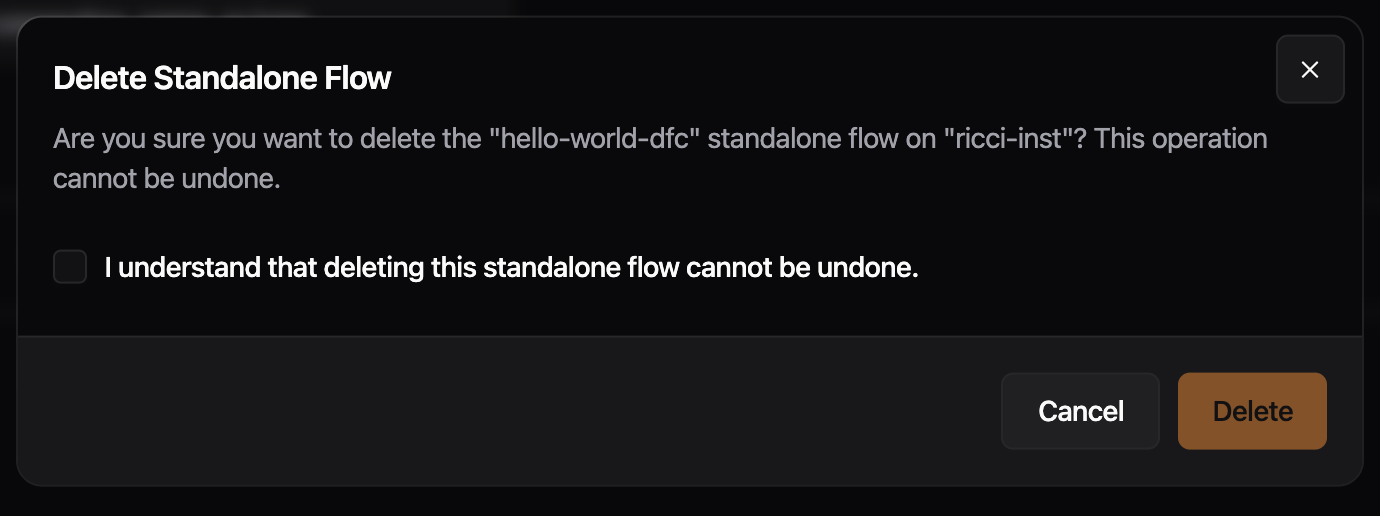
- The delete confirmation for data flows and data models now includes the instance name in the description. Previously, if the same flow or data model name existed on multiple instances, the dialog gave no way to tell which instance was being targeted.
Fixes
- Previously, using "Copy Bridge" on an existing bridge and clicking "Save & Deploy" failed with an "Action Failure" error. Cloning and deploying bridges now works correctly
Preview: Disable Read Flow
- Improved metrics view on overview page for different states of read and write flows.
Delete dialogs, sidebar data flows grouping, and several polish fixes: alert text wrapping, version tooltip/dialog cleanup, button cursors, and bridge condition meta keys.
Improvements
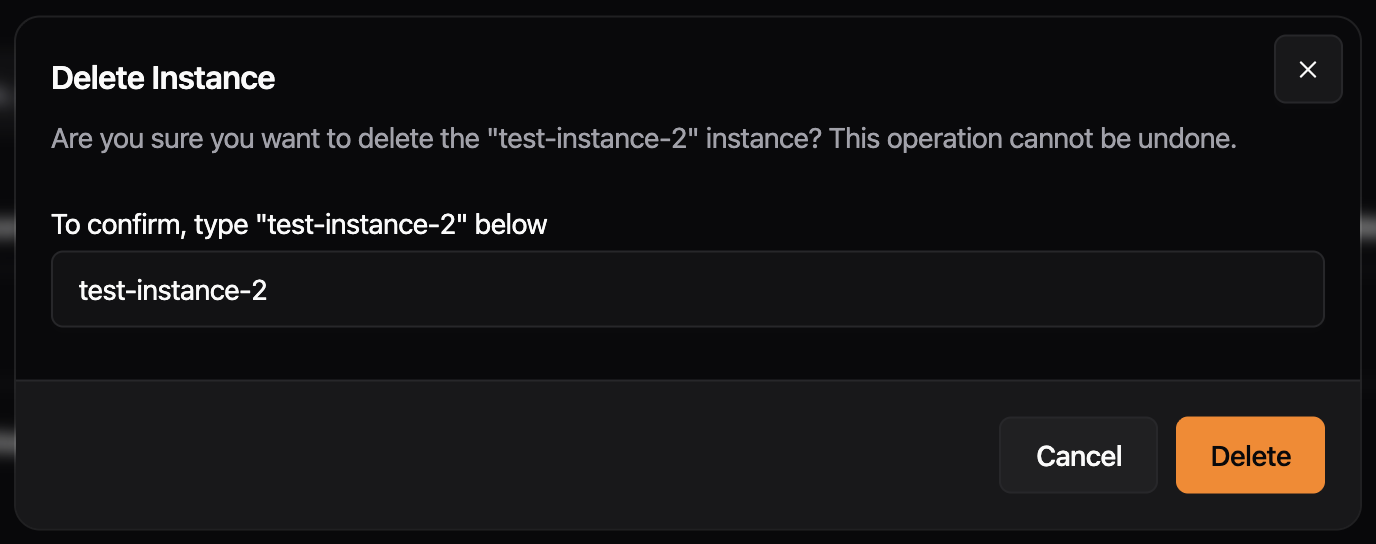
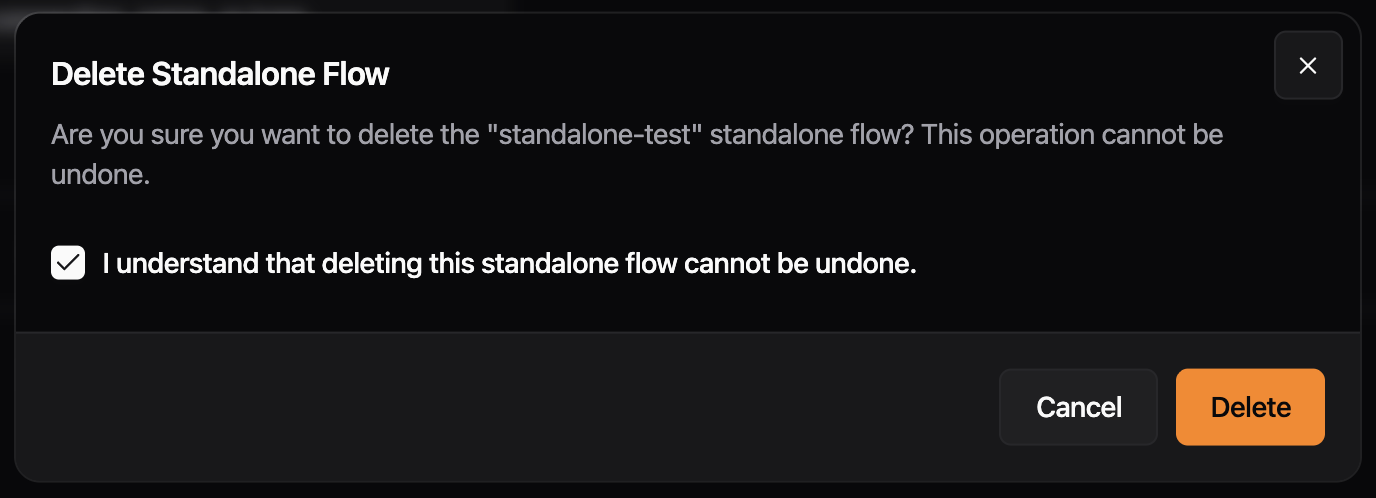
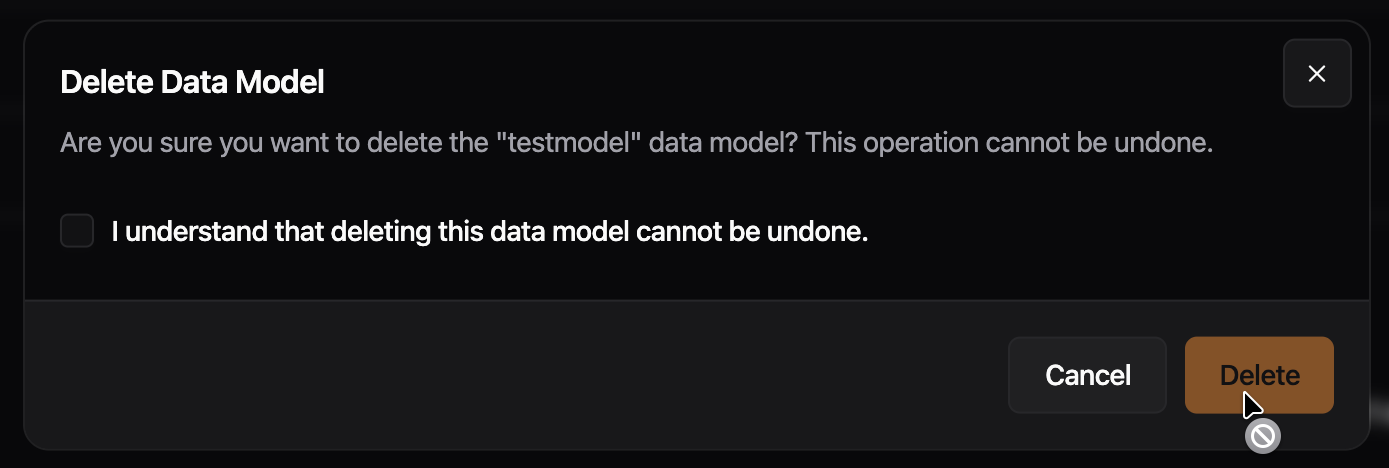
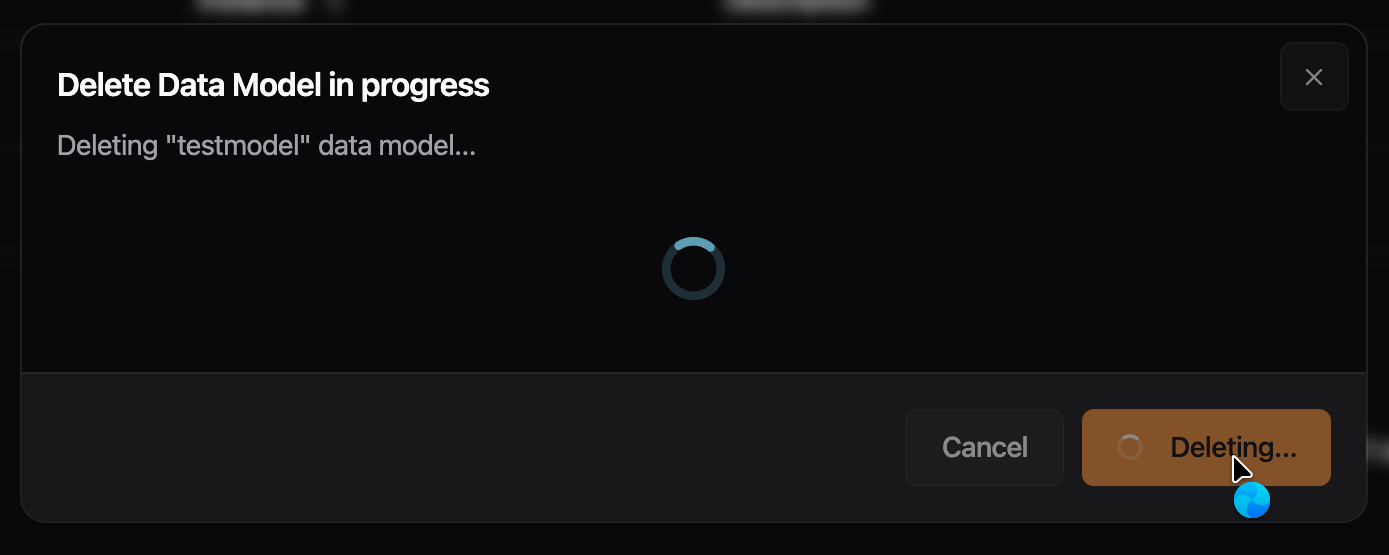
- Delete dialogs for instances, data flows, and data models now use the same dialog shell as the rest of the app. Escape and outside clicks are blocked while a deletion is running, the title updates to reflect progress, and a “Continue” button appears when the operation completes

- The sidebar now groups Bridges, Stream Processors, and Standalone Flows under a single collapsible "Data Flows" section. Jumping between data flow types takes one click from anywhere in the app, and the section remembers whether you left it open or collapsed.
Fixes
- Previously, error messages, identifiers, and URLs without spaces could overflow the alert box and appear cut off. Alert text now wraps at any character boundary, keeping the full message visible.

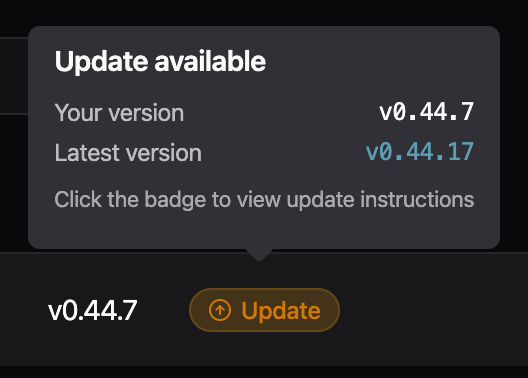
- Cleaned up the version update tooltip in the instances table: removed the low-contrast divider and washed-out text on the dark tooltip background, evened out the spacing, and clarified the call-to-action so it's clear the badge itself is what you click to open the update instructions. - Update instructions dialog now uses the standard dialog look and feel (matching other dialogs in the app), with a "View changelog" action in the footer instead of a buried link in the description.

- Disabled buttons now show a not-allowed cursor instead of the default arrow cursor, and loading buttons show a busy cursor. Previously,
pointer-events-noneon disabled buttons suppressed all pointer events, so the cursor never changed.
- Conditions in the bridge processing step now match incoming messages. Previously, the default field selector for OPC UA and S7 bridges generated YAML referencing meta keys (
msg.meta.nodeId,msg.meta.address) that the inputs do not emit, so conditions silently never fired. The selector now defaults to the actual runtime keys (msg.meta.opcua_attr_nodeid,msg.meta.s7_address) while keeping the human-readable labels "Node ID" and "Address" in the dropdown.
Improvements
- Tag processor now supports
msg.meta.datatypeto override value type auto-detection. Set to"string","number", or"bool"to force the output type
Fixes
- Dialogs no longer disappear when clicking outside of them
- Code block text selection in sidebar no longer appears dark in light mode
Enables FSMv2 communicator by default.
Improvements
- The FSMv2 communicator is now enabled by default. Previously, enterprise networks with firewalls that dropped idle connections could leave instances appearing offline in the Management Console until the container was restarted. The new communicator uses separate connections for status and commands, so a dropped pull connection no longer prevents heartbeats from reaching the backend, and it recovers automatically when the connection comes back. The memory cleanup routine it depends on is also enabled by default. If you previously disabled FSMv2 by setting
useFSMv2Transport: falseinconfig.yaml, that setting has had no effect since v0.44.8 -- to keep the legacy communicator you must setUSE_FSMV2_TRANSPORT=falseas an environment variable. To roll back, setUSE_FSMV2_TRANSPORT=falseandUSE_FSMV2_MEMORY_CLEANUP=false.
Preview: Write Flows
- Previously, write flows used raw
inputfor benthos. We now define a user variableUMH_TOPICSand automatically generate the properinputin umh-core, which provides an improved user experience and less surface for errors.
Fixes
- When creating a Bridge with the newest version of
umh-coreyou previously got a warning for not existing schemas. These are now added. - Depending on the screen resolution, the toggle-switch appeared slightly misaligned. This issue has been resolved, so the button now appears consistent regardless of the screen resolution.
- Previously, standalone flow names accepted spaces and other characters that cause deployment failures. Names are now validated the same as bridges and stream processors: letters, numbers, dashes, and underscores only
Preview: Disable Read Flow
- Now uses
UMH_TOPICSlist as input for write flows. Breaks all existing write flows.
Improvements
- Cache API for JavaScript processors: new
cache.set(key, value),cache.get(key),cache.exists(key), andcache.delete(key)methods for tracking state across messages. Previously, state management required complex Benthosbranch/request_map/result_mapconfigurations. Now you can store any JSON-compatible value (strings, numbers, objects, arrays) directly from JavaScript. Usecache.exists(key)beforecache.get(key)to handle missing keys. Available in bothnodered_jsandtag_processor. Currently in-memory only (lost on restart), persistent backend planned - Updated Go dependencies, includes security fixes for OIDC and JOSE authentication libraries
Preview: Disable Read Flows
- Supports extracting metrics for write flows for bridges.
Improvements
- Cards in the read flow editor now group related settings behind tabs, so you only see what you need for the step you're on. Long sections that used to force a lot of scrolling now fit in one view, and switching between settings takes one click instead of hunting through the page.

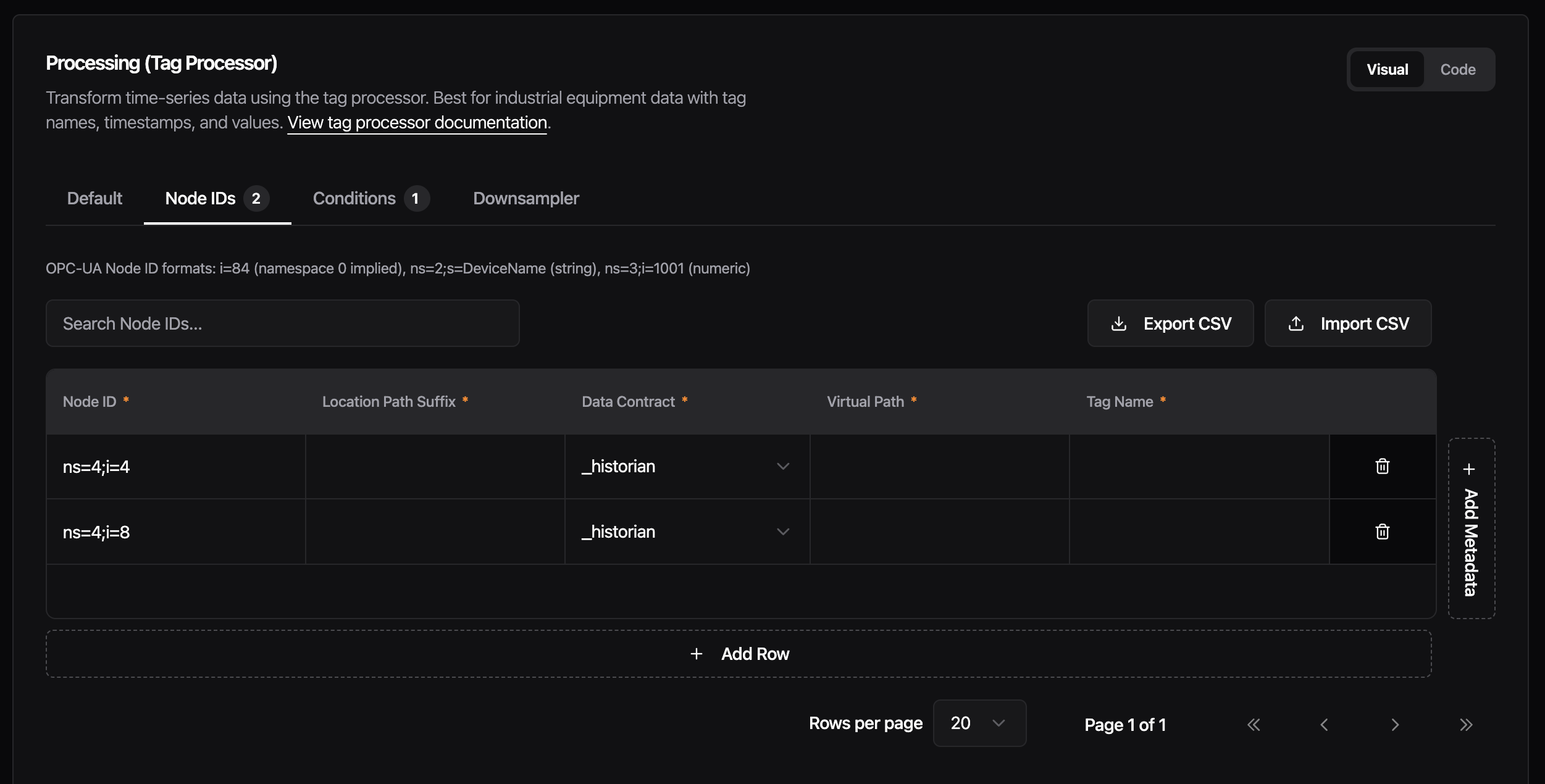
- Each category now has a single Code/Visual toggle instead of one per section. Switch the whole card at once when you want to drop into raw config, and flip it back without having to redo the choice on every tab. Your view stays consistent while you work through a card. - Metrics will display separate metrics for read and write flows in bridges, once umh-core supports it. - We replaced the editor engine behind the tag processor rules, bridge configuration, data models, stream processors, and other configuration screens. Editors now open faster, handle typing and scrolling more smoothly on large configurations, and offer easier and faster implementation for future features.
Fixes
- When confirm dialog is loading, pressing Escape or clicking outside no longer cancels the running action. Dialog stays locked until the operation is finished.
- Previously, navigating to “Add standalone flow” showed a Monitoring card carrying over status and throughput data from a previously viewed component. The Monitoring card now only appears when editing an existing component
Security updates and more templates.
New Features
- Add more templates and ability to show a verbose vendor name.
Adds relational field type, per-direction flow metrics, config backup with post-write fix, and retry-resilient status delivery for FSMv2.
New Features
- Data models now support a new
_relationalfield type for defining flat relational data alongside timeseries fields. Each inline field contains named columns with a type (string,number). This is mutually exclusive with_payloadshapeand_refModelon the same field
Improvements
- Previously, a Flow only exposed a single health and throughput metric. Starting with this version, umh-core exposes separate throughput metrics and health status for read and write flows.
Preview: Config Backup
ENABLE_CONFIG_BACKUP=truesaves a timestamped copy ofconfig.yamlto/data/config-backups/every time umh-core writes the config (Management Console actions, and startup after a manual edit). umh-core keeps the 100 most recent backups and deletes older ones. Use these to roll back a bad config- Fixed: the first config change after a restart was not backed up, because the pre-write file matched the latest backup and the duplicate check skipped it. Backups now run after the write. One caveat: the most recent backup mirrors the most recent write, so to recover the state from before a bad write, use the second-most-recent backup
Preview: FSMv2 Communicator
- Previously, healthy instances could appear offline in Management Console when earlier status messages failed to send. New status messages now continue to reach Management Console while previous ones are being retried. Only affects instances with
USE_FSMV2_TRANSPORT=true
Reworked install dialog with Docker Run/Compose/Manual tabs and download support; fixed orphaned identity records on user deletion, OPC UA browser crash loop, and sidebar icon hover contrast.
New Features
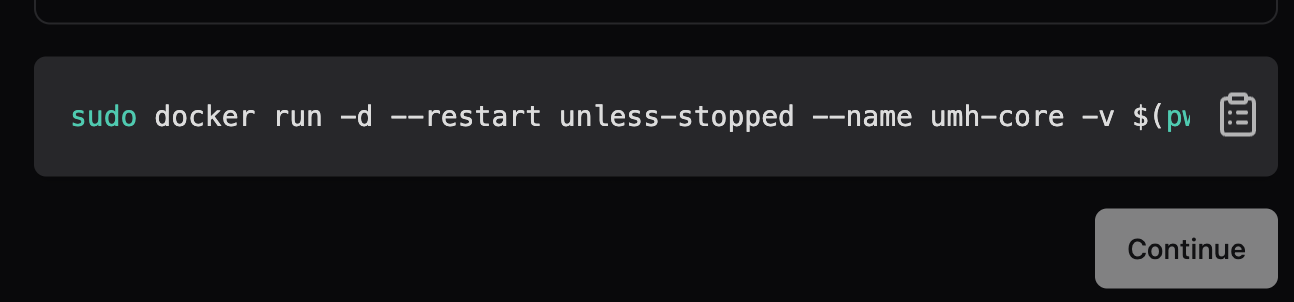
- Reworked install dialog. The install dialog now shows three tabs: Docker Run, Docker Compose, and Manual Setup. They cover different deployment environments. Closing without copying or downloading the command now triggers a confirmation prompt instead of navigating away silently. A prominent warning highlights that the auth token can not be retrieved after closing. Download buttons let you save the command as a
.shor.ymlfile. After completing setup, the instances view shows a brief notice that the instance will appear offline until the install command runs.


Fixes
- Previously, deleting a user left orphaned identity records in the database, so re-inviting the same email address could fail during signup. User deletion now removes all associated identity records in the same operation
- Previously, opening the OPC UA browser updated the form in the background (syncing checked node IDs), which the UI misread as a protocol change and reinitialized the browser — creating a crash loop. The OPC UA browser now opens without crashing.
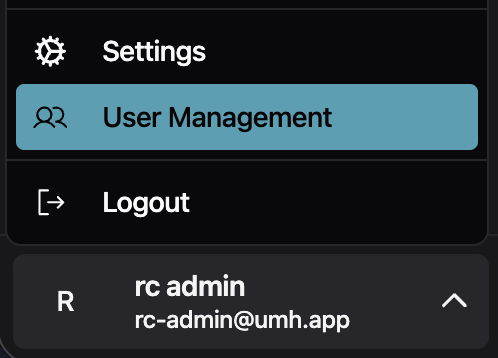
- Previously, the rendered icon did not inherit the hover text color, so it always had the same color regardless of the hover state. Fixed sidebar user dropdown icon contrast. The Settings, User Management, and Logout icons stayed a fixed color on hover. They now inherit the highlighted text color, matching the rest of the menu item
Fix issue when redeploying a bridge.
Fixes
- Previously, if a read flow had a stale error, a new deployment would always fail, even if the current state is healthy. Now, we first always stop the flow, redeploy it and only check the current state, not any stale states.
Schema, theme, and editor fixes.
Fixes
- Map fields in the bridge editor JSON schema incorrectly produced
"type": "string"instead of"type": "object"withadditionalProperties. Component reference types (input,output,processor,scanner) and unknown types had the same issue -- all now map to the correct schema types - Previously, if two bridges shared the same internal ID, the bridge selection list would fail to render. Duplicate entries are now filtered out automatically
- Make the background of the user management input fields respond to the selected theme

- Fixed the data model code editor being capped at a small fixed height, leaving most of the screen empty -- it now expands to fill the available window height, consistent with other editor instances
Improvements
- Unified Address Field for Modbus: introduces
unifiedAddressesas a single-string alternative to the existing address object list. Format:name.register.address.type[:key=value]*(e.g.,temperature.holding.100.INT16:scale=0.1). The legacyaddressesobject list continues to work with a deprecation warning. Both fields are mutually exclusive
Fixes
- CPU health stayed Degraded permanently after any brief throttle event because the ratio used cumulative counters since pod start. Now uses a sliding window, so health recovers when throttling stops
- ADS symbol downloads failed in certain configurations -- bumped ADS plugin to v1.0.8 which fixes the issue
Preview: FSMv2 Communicator
- Brief network interruptions during authentication (DNS failures, server errors) no longer produce Sentry warnings. If authentication keeps failing for five consecutive failures, a single
persistent_auth_failurewarning is logged. Permanent errors like invalid credentials or a deleted instance still warn immediately on first occurrence. Only affects instances withUSE_FSMV2_TRANSPORT=true - When authentication permanently fails (invalid credentials or deleted instance), the transport worker now enters a dedicated failed state instead of retrying indefinitely. It re-attempts authentication automatically when the configuration changes (new auth token, relay URL, or instance UUID). Only affects instances with
USE_FSMV2_TRANSPORT=true
Fixes for location level naming and condition editing.
Fixes
- Previously, typing in a condition value field lost focus after every character, requiring you to click back into the field after each keystroke. Condition editing now keeps focus as expected
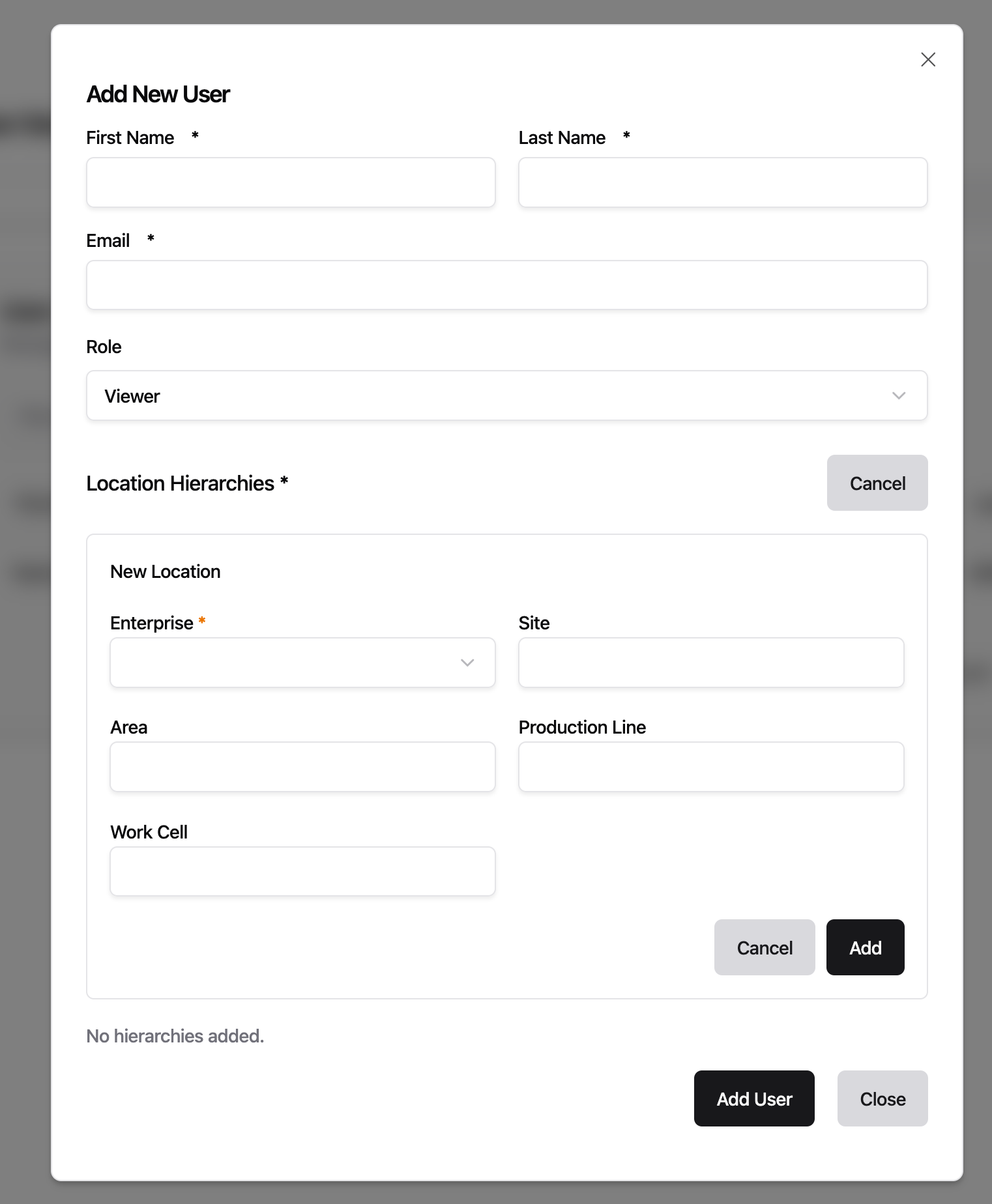
- Previously, location level inputs in the instance setup form would automatically reformat text as you typed -- lowercasing letters, replacing spaces with hyphens, and removing special characters. Location inputs now accept text exactly as entered
Fixes
- Updated gRPC to v1.79.3 to patch CVE-2026-33186, a critical authorization bypass where path-based access control policies could be circumvented via malformed HTTP/2 requests
Topic browser, table filters, and bridge settings now persist across navigation and page reloads. Fixed OPC UA bridge defaulting to wrong port, "Save Anyway" not bypassing validation errors, and special characters breaking bridge deployments. Preview: new "Disable Read Flows" toggle for bridges.
Improvements
- Previously, the topic browser reset to its default state whenever you navigated away -- your selected topic, expanded/collapsed nodes, search term, and scroll position were all lost. Now the topic browser remembers all of these across navigation and page reloads, and resets on logout
- Previously, new instances defaulted to the Enterprise release channel, which lagged behind in versions. Now new instances default to Stable, so they start on the latest recommended version
- Previously, the filter of a table was reset whenever you navigated away. Now the state of all table filters is persisted throughout the entire UI.
- Table filters now support fuzzy finding.
Fixes
- Previously, creating an OPC UA bridge pre-filled port 3000 instead of the OPC UA standard port 4840, requiring manual correction every time. The bridge setup assistant now defaults to port 4840
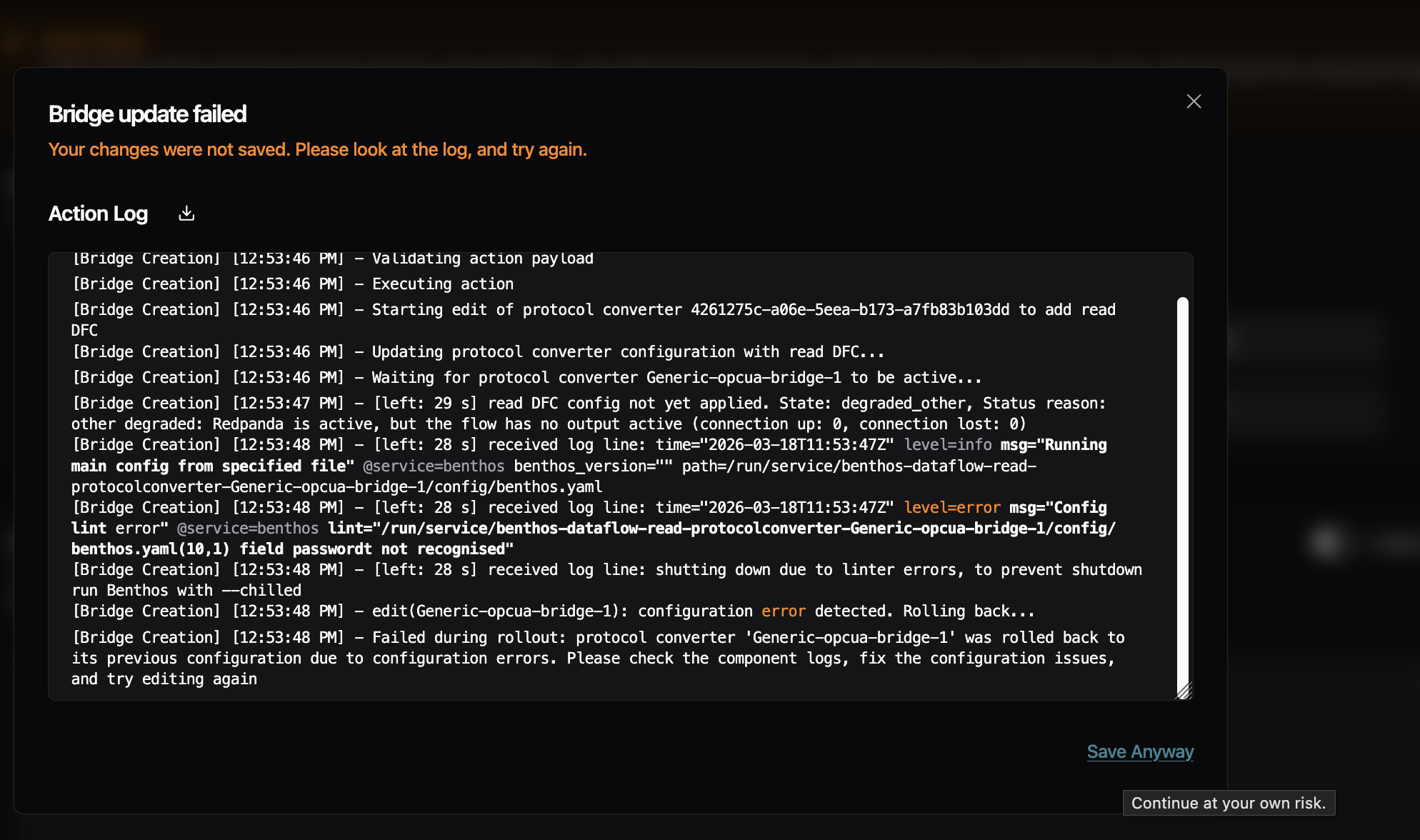
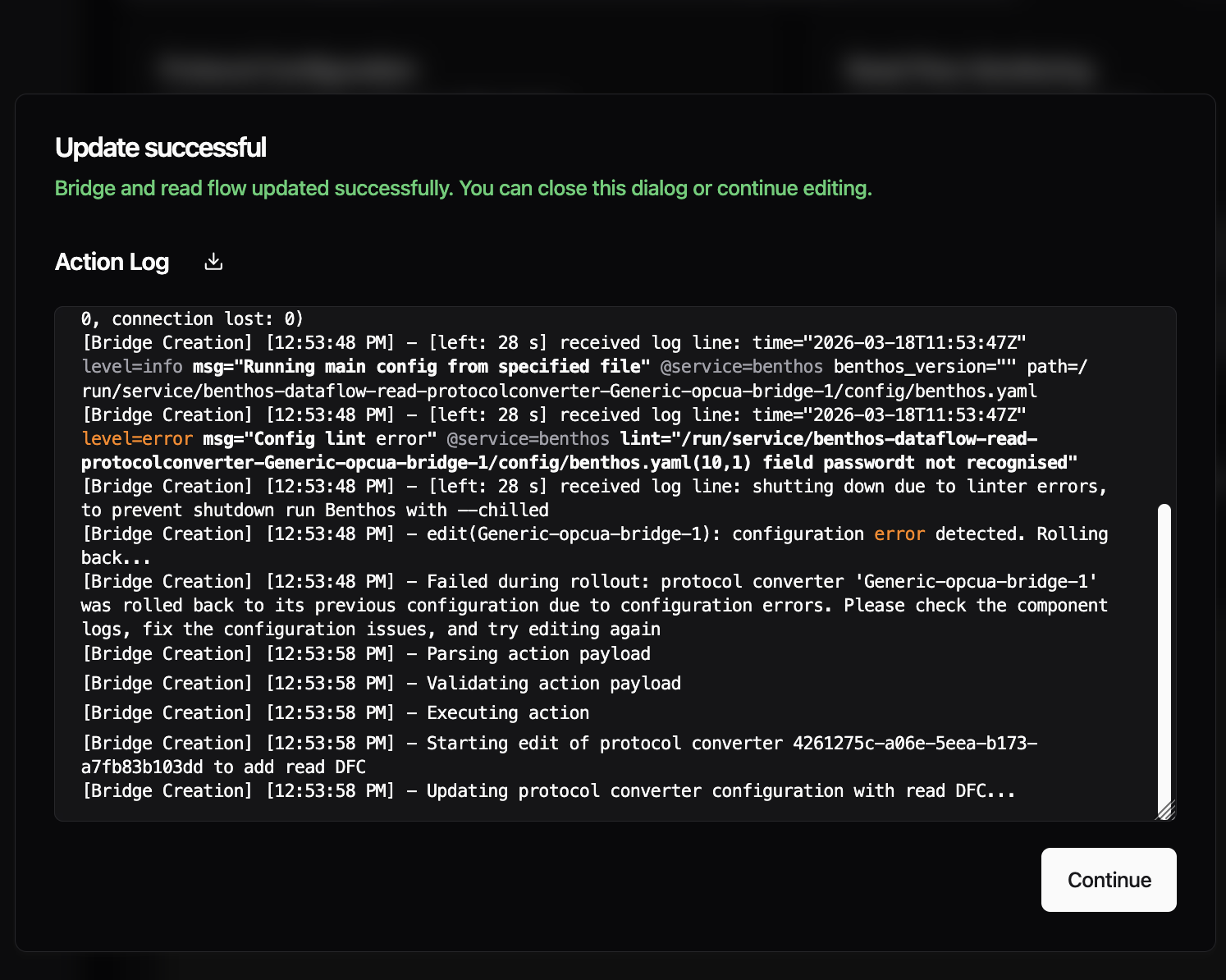
- Fixed "Save Anyway" button not bypassing validation errors during bridge updates -- clicking it re-triggered the same deployment without ignoring errors, causing the same failure again. It now correctly saves despite benthos linting or configuration errors
- Previously, special characters like double quotes in address mappings or metadata fields broke bridge deployments because they were not escaped in the generated YAML. Now values are properly escaped before sending to the backend and unescaped when loaded back into the UI
Preview: Disable Read Flows
- Introduced the new, experimental feature flag "Disable Read Flows" -- When activated you get a new toggle in the Read Flow section of the bridged. Using the toggle, you can temporarily disable reading data. This feature is already present for Standalones and is now being ported to the read flows.

Improvements
- Starting with this version, umh-core supports stopping and starting bridges. Previously, bridges were always active and could only be removed entirely. A Management Console update is required to expose this in the UI
Fixes
- The container previously restarted hundreds of times per minute when config.yaml was missing or invalid and now waits 60 seconds before retrying, giving you time to fix the configuration
- Previously, memory monitoring read host-level values even inside containers, while CPU monitoring already used cgroup-aware values. Memory metrics now read cgroup v2 limits and usage, so dashboards show correct container memory utilization
- Fixed debug logging settings being lost when editing bridges or data flows -- the debug_level flag is now preserved across configuration changes
Preview: FSMv2 Communicator
- Instances could appear permanently offline in the Management Console even though the pod was running and healthy -- only a restart would fix it. This happened because token re-authentication briefly caused child workers to enter a stopping state from which they could not recover, leaving the communicator stuck indefinitely. Workers now always complete the stop and automatically recover when the parent is healthy again. Requires
USE_FSMV2_TRANSPORT=true
We revised how locations work in the Management Console. The instance setup form now matches what UMH Core already supports -- more than five location levels, and location is locked after the initial setup to prevent accidental redeployment of all your data flows.
Improvements
- Previously, the instance setup form was limited to exactly 5 fixed location fields (enterprise, site, area, line, work cell), even though UMH Core already supports deeper hierarchies. Core instances running v0.44.9 or later now support up to 10 levels in the Management Console, so you can define location hierarchies that match your organization's structure

Fixes
- Fixed instance location being editable after setup -- changing it would silently redeploy all data flows and rename all tag names, which is almost never intended. Location is now set once during setup and clearly marked as permanent. If you need a different location, create a new instance. Changing the location of a bridge is still possible
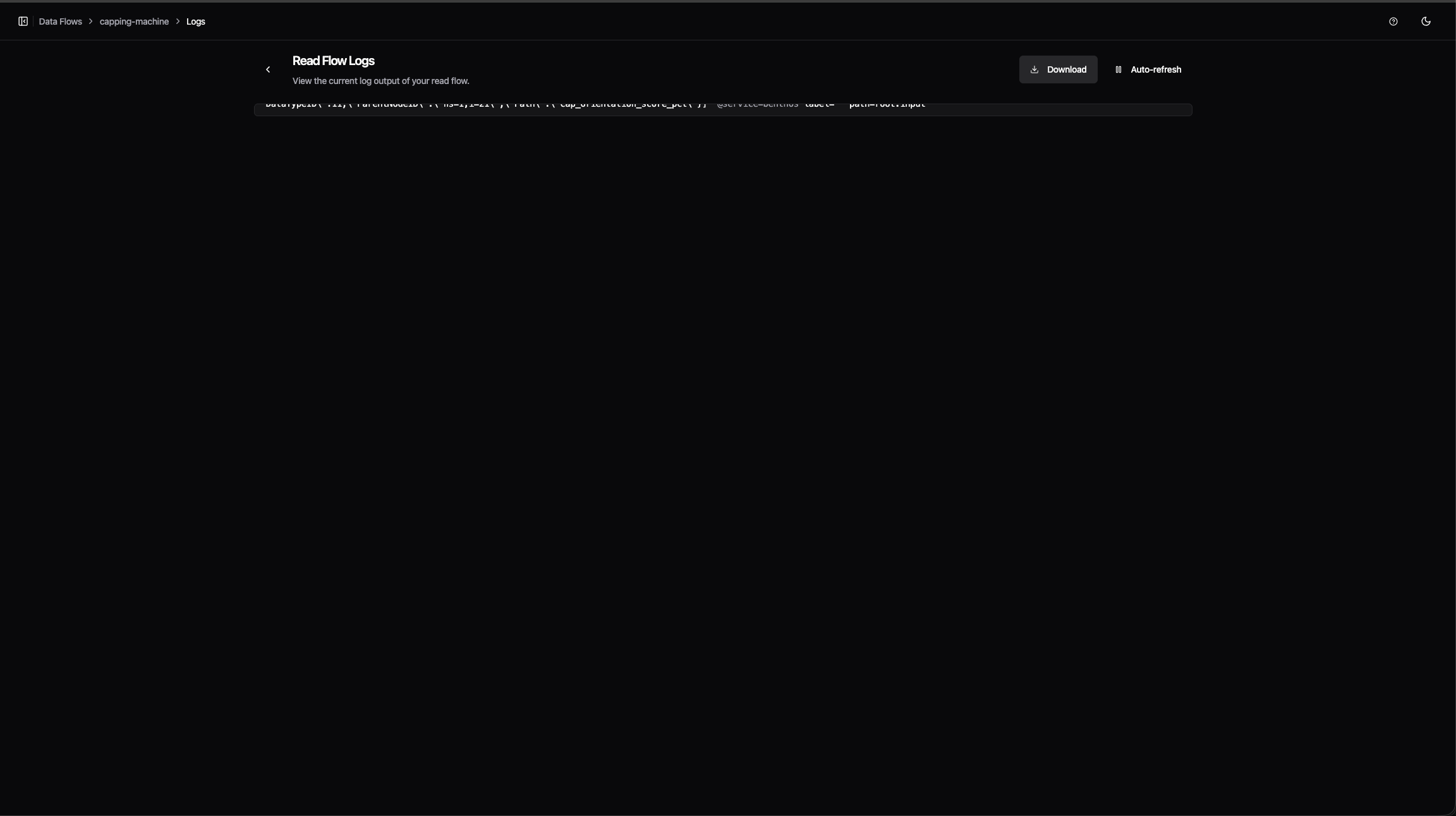
- Fixed the configuration editor and log viewer being capped at a small fixed height, leaving most of the screen empty -- both now expand to fill the available window height
- Fixed feature flag toggles in Settings taking effect silently with no confirmation -- toggling now shows a brief notification

Improvements
- Previously, internal timing metrics grew continuously in memory the longer your instance ran, consuming over 500 MB on busy systems with many bridges and data flows. These metrics now use fixed-size histogram buckets that no longer grow with uptime, reducing steady-state container memory by roughly 30%
If you run instances with a large number of topics, the Management Console could feel sluggish -- slow clicks, delayed page updates, and high latency shown in the status bar. This was most apparent with many instances, on older laptops, or alongside resource-heavy software like antivirus scanners. The browser now handles incoming data much more efficiently during updates. This does not eliminate all sources of latency, but removes the largest one.

Improvements
- Condition input fields now suggest values directly from your CSV address table -- clicking a suggestion auto-filters the table to matching rows
Fixes
- Fixed tag names falling back to a raw system identifier when no name was configured -- this could cause deployment errors
This release simplifies S7 addressing and fixes three edge cases in the Management Console editor and S7 data type handling.
Improvements
- S7 addresses for PE, PA, MK, C, and T areas no longer require a block number that served no function. You can now write
PE.X0.0instead ofPE0.X0.0. The old format still works but logs a deprecation warning and will be removed in a future version. Data Block addresses (DB1.DW20) are unchanged
Fixes
- The S7
DateAndTimedata type crashed due to an incorrect buffer size and now reads correctly - Fields with children that already have default values were incorrectly marked as required when editing bridge configurations -- they are now correctly treated as optional
- Fields marked as deprecated in bridge plugin definitions were not flagged in the Management Console editor -- they now correctly appear as deprecated
Preview: FSMv2 Communicator
- Status updates and incoming commands now use independent connections, so a connection dropped by an enterprise proxy or firewall no longer prevents the instance from sending heartbeats. Requires
USE_FSMV2_TRANSPORT=true
The interface no longer stutters periodically during your session -- a background security check was running on the main thread every 10 seconds and has been moved off it.
Fixes
- Fixed the error details panel showing no content when a validation error occurred -- it now displays the specific errors correctly
- Fixed a bug where the instance deletion dialog would get stuck after deleting an instance -- the confirmation input stayed visible and the dialog could not be closed
Fixes for bridge configuration saving and condition builder defaults that were introduced alongside the CSV Address Tables release.
Fixes
- Fixed bridge save discarding deleted addresses and custom meta fields -- removing an address row or a custom metadata column in the address table now persists correctly on save
- Fixed the second conditional clause defaulting to "equals" when its value was empty -- new clauses now start without a pre-selected operator, matching the first clause behavior
- "Unit" has been removed from the default CSV table columns. A warning indicating column duplicates was added
Configuring OPC-UA and S7 bridges no longer requires writing YAML by hand. The Read Flow processing section now uses a visual address table where you can add, edit, and search addresses directly, or import them in bulk from a CSV file. You can also duplicate any existing bridge as a starting point for a new one. Previously available as a preview, this is now the default experience for all OPC-UA and S7 bridges on instances running UMH Core v0.44.6 or later.
New Features
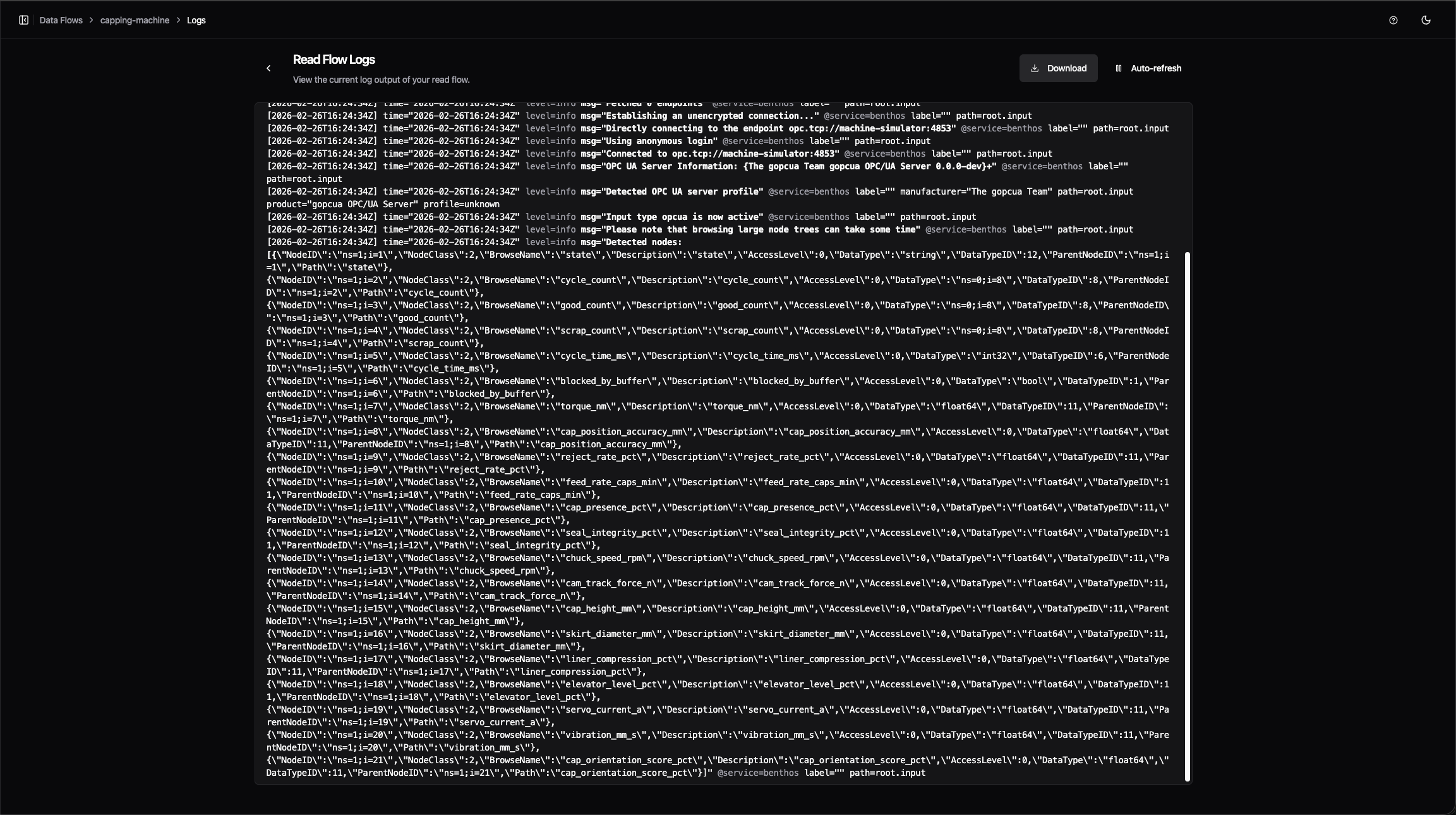
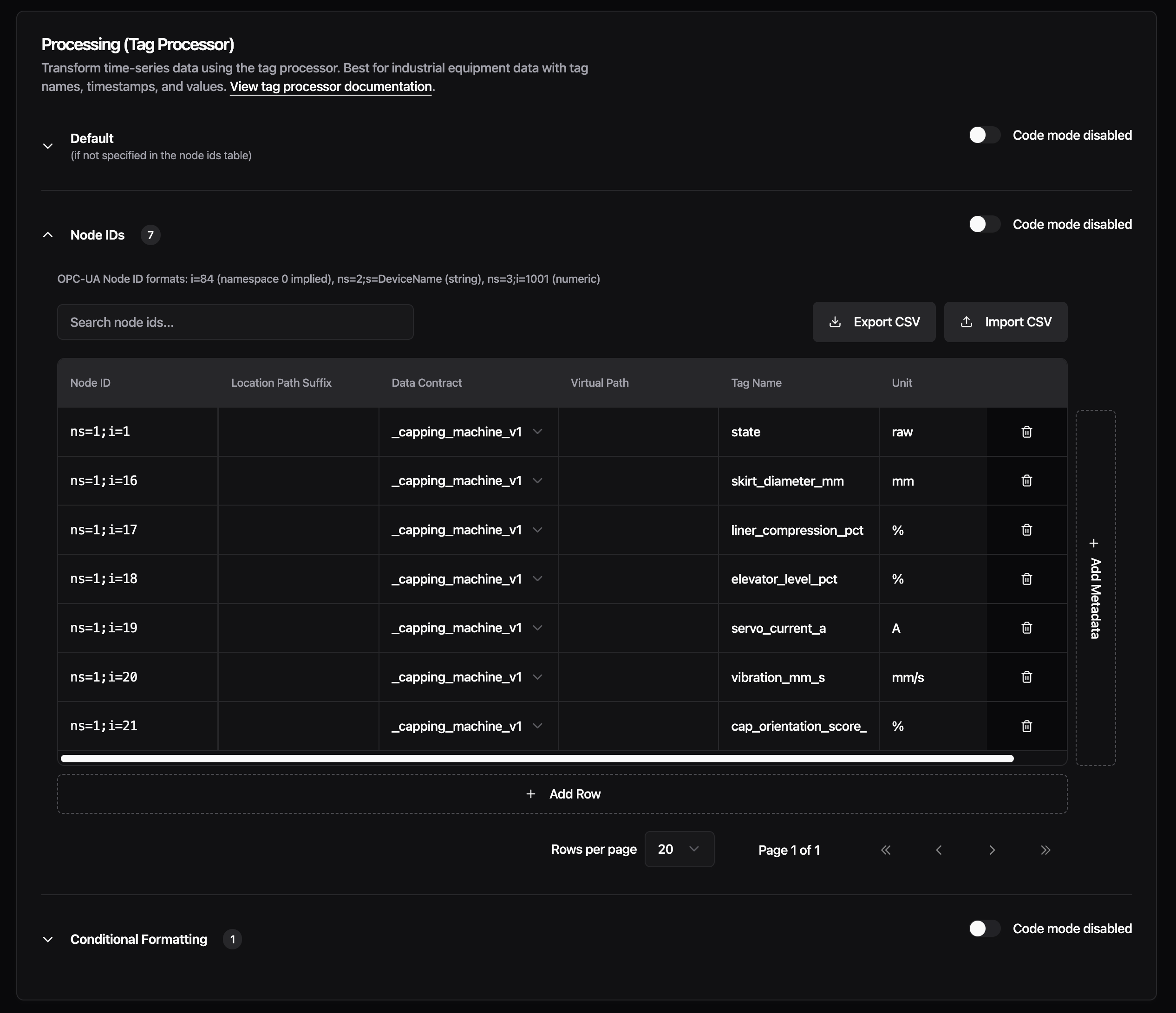
CSV Address Tables - The Read Flow processing section for OPC-UA and S7 bridges is reorganized into three sections: Default, Addresses, and Conditional Formatting. The Addresses section replaces the raw YAML input with a spreadsheet-style table. Each row represents one node ID (OPC-UA) or address (S7), with columns for data contract, location path suffix, virtual path, tag name, and unit. You can add custom metadata columns for any additional fields your setup needs. Support for more protocols is planned for upcoming releases.
Import your address list from a CSV file to populate the table in bulk, or export the current configuration back to CSV. The table supports pagination (20, 50, or 100 rows per page) and live search across all columns, so working with hundreds of addresses stays manageable.
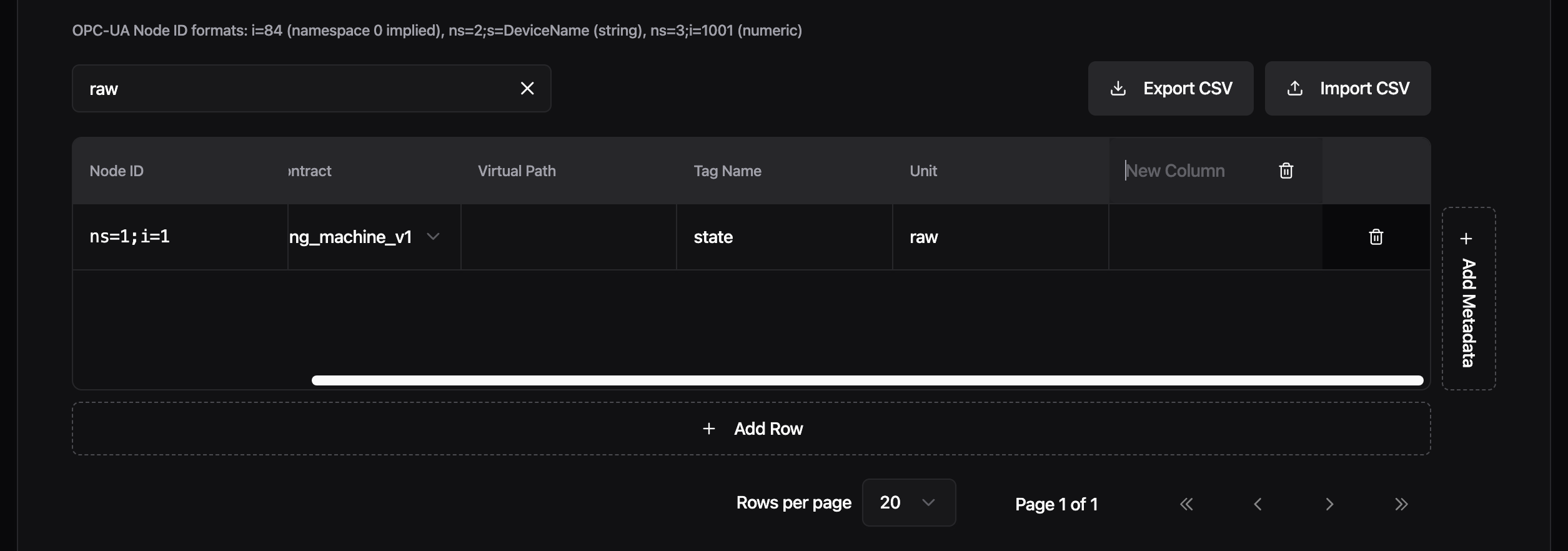
Each section has its own UI/Code toggle. Switch to code mode to see and edit the generated YAML directly, then switch back to continue in the visual editor. Changes sync both ways.
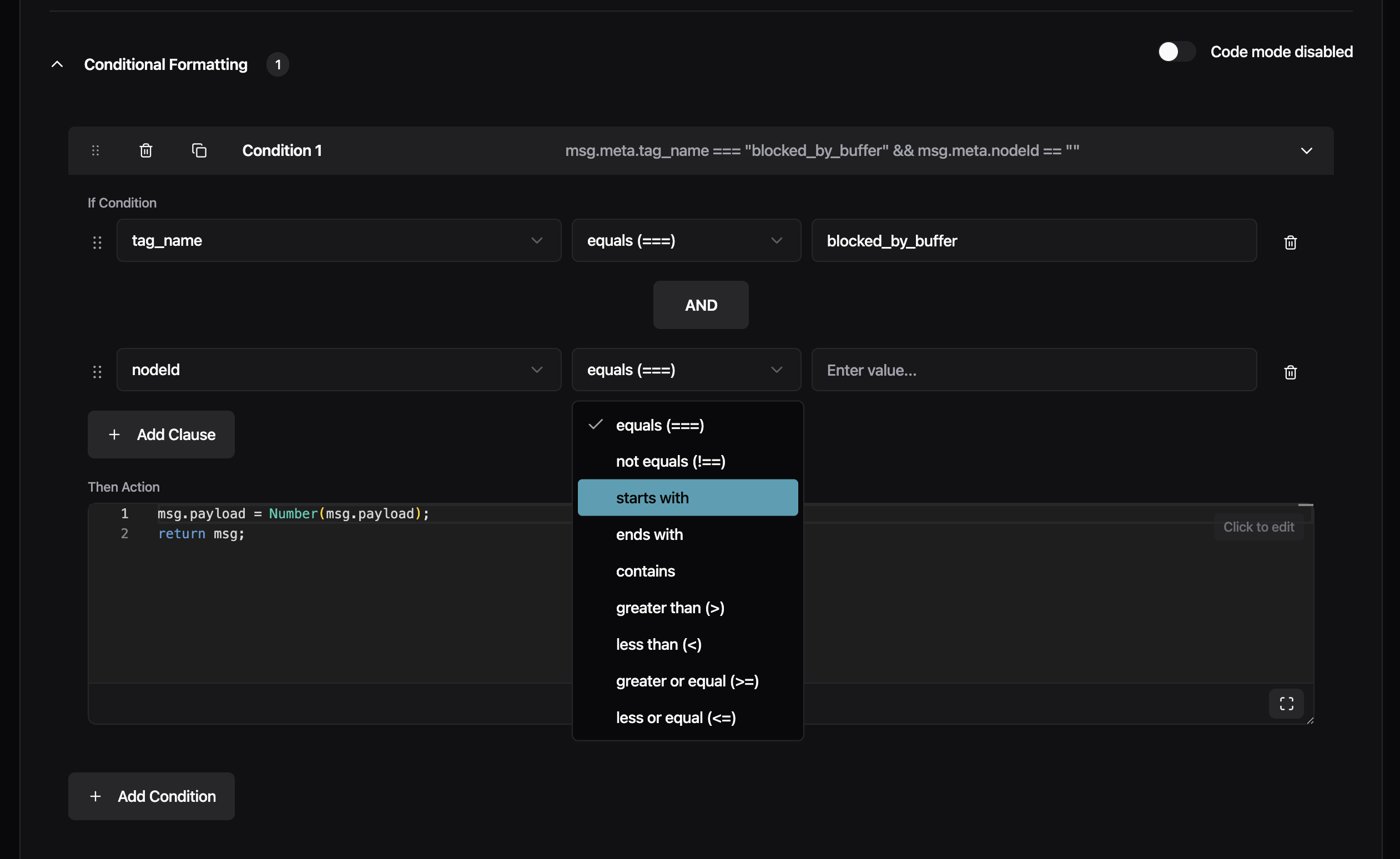
The Conditional Formatting section now uses structured dropdowns for building conditions: select a meta tag, pick an operator (equals, starts with, contains, and others), and enter a value. Chain multiple clauses with AND/OR, and drag to reorder conditions. Previously, conditions required typing the full JavaScript expression manually.
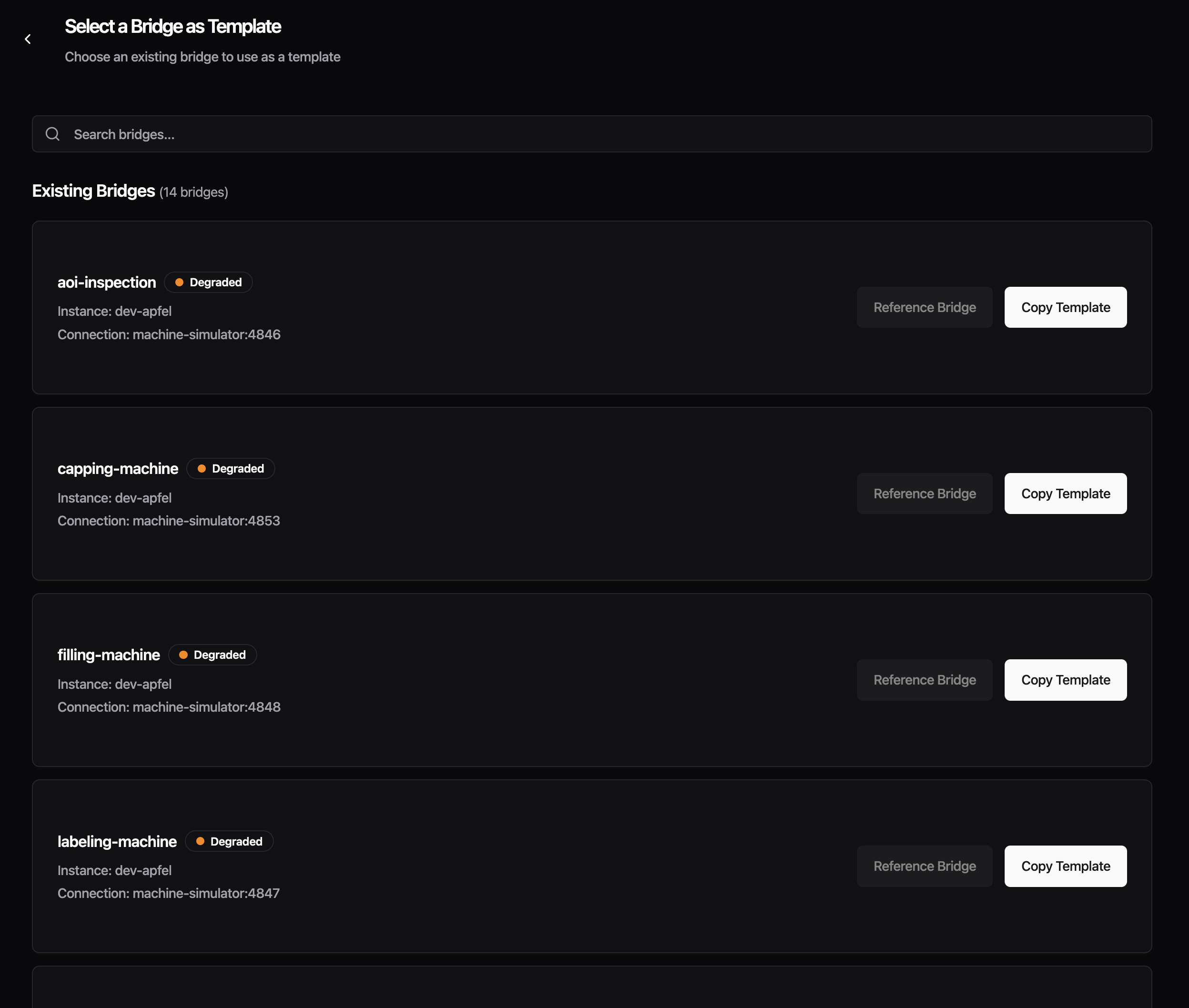
Create From Existing Bridge - You can now create a new bridge by copying an existing one. From the Data Flow list, click the three-dot menu on any bridge and select "Copy Bridge", or use the "From Existing Bridge" card in the creation wizard. The new bridge is pre-filled with the source bridge's connection settings, protocol configuration, and full Read Flow processing setup. The name is automatically suffixed with "-copy" to avoid conflicts. Edit any field before saving. Currently, each copy is independent. Shared bridge templates where changes propagate to all referencing bridges are already supported via config.yaml. A future release will bring this to the Management Console UI as well.
Improvements
- The Data Contract dropdown in the processing section now lists custom data contracts from your instance alongside the built-in
_historianand_rawoptions - Protocol configuration forms no longer show deprecated fields, reducing clutter in the input section
Fixes
- Fixed the Advanced Settings section disappearing when a protocol had no auto-generated advanced fields, which blocked access to custom configuration. Custom YAML fields now also show inline validation errors
- Fixed Read Flow processing silently dropping all messages when address mappings were configured -- re-saving your bridge after this update corrects it automatically
This release adds config backup as an opt-in preview and includes stability fixes for FSMv2 communicator preview users. All changes require feature flags -- if you haven't enabled any preview features, this release does not affect you.
Preview: Config Backup
- Previously, config.yaml could be permanently lost during upgrades or crash loops with no way to recover. Timestamped backups are now created before every write, with deduplication to prevent churn during restarts, retaining the last 100 versions in /data/config-backups/
To enable, set the ENABLE_CONFIG_BACKUP=true environment variable and restart your container:
To verify, check that backup files appear in /data/config-backups/ after a config change. If no files appear, confirm the environment variable is set and the container was restarted.
Preview: FSMv2 Communicator
- The cleanup routine retained state history for 24 hours, allowing hundreds of thousands of entries to accumulate in RAM -- the retention window is now 1 hour, reducing steady-state memory by roughly 95%. Requires
USE_FSMV2_MEMORY_CLEANUP=true
- The supervisor logged an error on every tick when the communicator temporarily had no workers during a restart cycle -- it now skips the tick and self-heals when workers return. Requires
USE_FSMV2_TRANSPORT=true
- A nil-pointer panic could occur in ResetTransportAction under specific timing conditions -- the action now safely handles nil state. Requires
USE_FSMV2_TRANSPORT=true
IO-Link bridges that fetch device descriptions from the IODD registry now connect correctly. Previously, the Management Console's IODD proxy did not trust the certificate authority used by ioddfinder.io-link.com, which prevented IO-Link bridges from loading device descriptions needed to decode sensor data.
Improvements
- Updated Go runtime to 1.25.6 and Node.js to 22.22.0 with security patches
Fixes
- Fixed the "Detected Changes" confirmation dialog appearing on Read Flow configuration pages when no changes had been made
Preview Improvements
These improvements apply to features currently available as a preview.
- Addresses now correctly load when opening an existing bridge, creating a new one, or switching between protocols (Enhanced Read Flow UI)
- Fixed deleting newly added custom columns from the address table not working (Enhanced Read Flow UI)
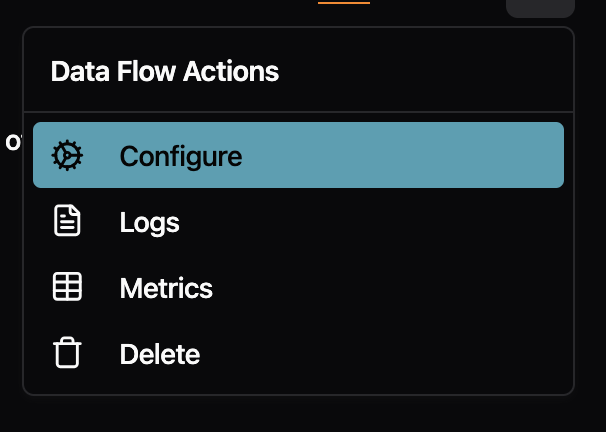
The right-click menu on Data Flow pages no longer shows redundant labels. Previously, the menu item repeated the flow type name (e.g., "Standalone Flow" or "Stream Processor") even though you were already viewing that tab. Now it simply says "Configure" with a cog icon, which is clearer and less cluttered.
Fixes
- Fixed the "Go back to safety" button on error pages not navigating anywhere when clicked. The button now performs a full page reload to take you back to the home page.
- Fixed buttons with tooltips (like the "Full screen" button in code editors) not responding to clicks
- Fixed dropdown menu items showing a default cursor instead of a pointer cursor on hover
- Fixed inconsistent font styling in the audit logs table

If you enabled the FSMv2 communicator preview (introduced in v0.44.5), this release fixes three issues that could cause your instance to use a lot of memory, go offline, or restart unexpectedly. We strongly recommend upgrading.
If you have not enabled the FSMv2 preview, this release does not affect you.
Action Required (FSMv2 Preview Users Only)
You need to add a new environment variable to get the memory fix.
Regardless of how you enabled FSMv2, set both of these environment variables and restart your container:
USE_FSMV2_TRANSPORT=true— enables FSMv2 (unchanged from before)USE_FSMV2_MEMORY_CLEANUP=true— new in v0.44.8, enables the periodic memory cleanup
If you enabled FSMv2 via useFSMv2Transport: true in config.yaml, that method no longer works — FSMv2 is silently not running. Remove that line from your config.yaml and use the environment variables above instead.
To verify FSMv2 is running after the change:
If this returns no output, FSMv2 is not running. Double-check that both environment variables are set and that the container was restarted.
Fixes
- Memory no longer grows unbounded over time. Previously, long-running instances with FSMv2 enabled would slowly consume more and more memory because internal state changes accumulated without ever being cleaned up. One customer reported 13 GB of RAM usage at only 4 messages per second. Eventually, the system would kill the container to free memory, causing a brief data gap while it restarted. A periodic cleanup routine now keeps memory usage flat regardless of how long the instance runs. This fix requires
USE_FSMV2_MEMORY_CLEANUP=true(see above).
- Instances no longer crash when a worker hits an unexpected error. Previously, if one of the internal FSMv2 components encountered an unexpected error, it could crash the entire process, taking your instance offline until the container restarted. The system now catches these errors and automatically recovers. If the same error keeps recurring, the affected component is stopped to prevent crash loops while the rest of the system keeps running.
- Instances no longer get stuck after configuration changes. When you changed a configuration and the system restarted an internal component, the new component could inherit a stale "shut down" signal from the old one and immediately stop itself. This could make the instance appear stuck or unresponsive after config changes. The shutdown signal is now properly cleared before starting a replacement.
The crash fix and the configuration fix are automatically active for all FSMv2 users and do not require additional configuration.
Other
- Updated container base image (Alpine) with security patches.
- Updated Go dependencies.
Setting up new instances is now more reliable, and we've added helpful context throughout the console -- from changelog links in the update dialog to descriptions on the Location card. Non-admin users also now get clear explanations for disabled actions instead of hidden buttons.

Improvements
- The umh-core update dialog now includes a link to the changelog so you can see what changed before upgrading

- The Location card now displays a brief description explaining what it is used for, with a link to the documentation for further details

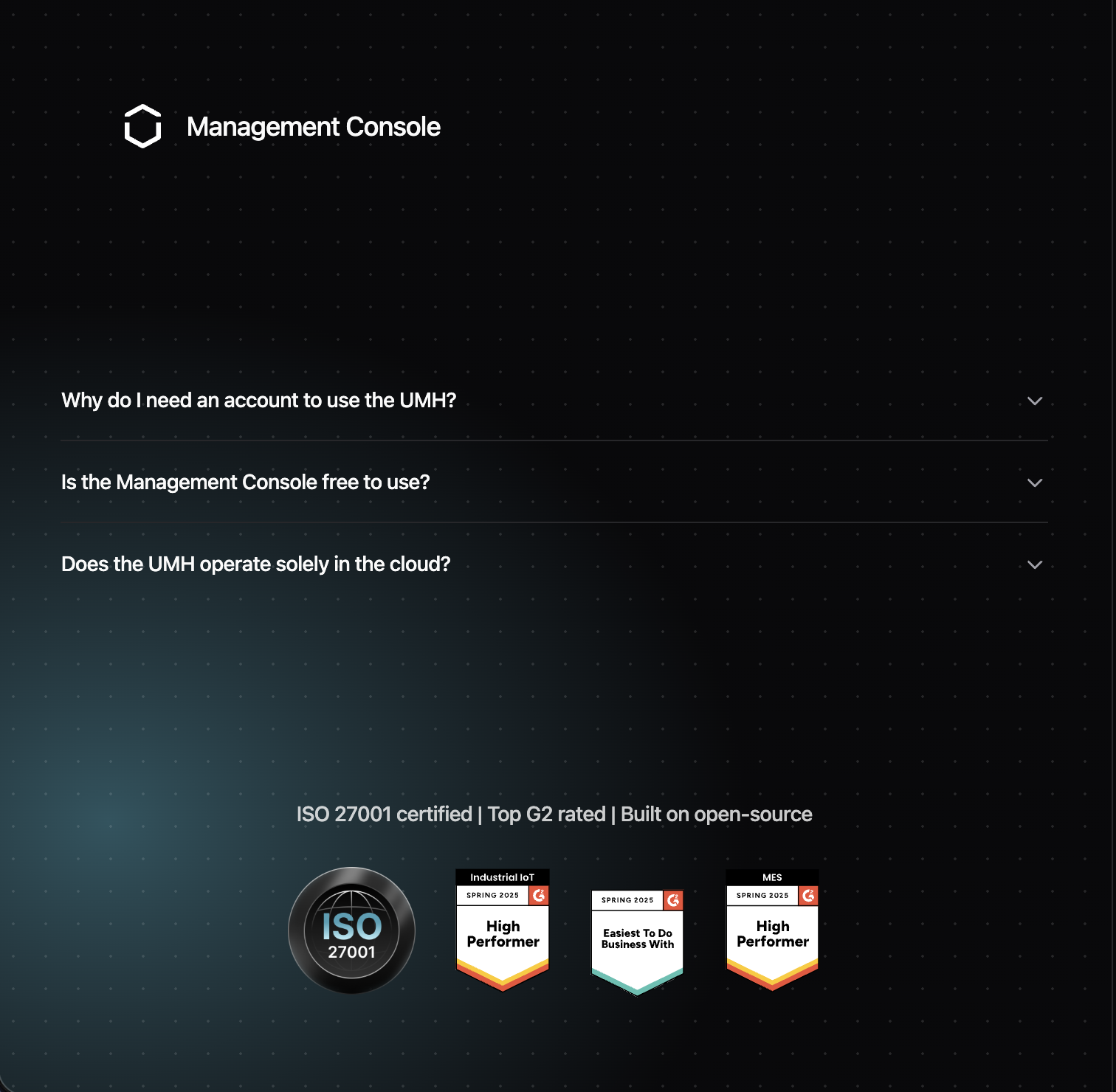
- The login page now displays an ISO 27001 certification badge alongside the existing G2 badges, with all badges slightly smaller for a cleaner appearance
- Non-administrator users previously saw no "Add Instance" button at all. Now the button is always visible but disabled for non-admins, with a tooltip explaining "Only company administrators can add instances"
Fixes
- Fixed the install command dialog silently deleting your instance when closed without using the copy button -- closing the dialog now keeps your instance intact
- Fixed Docker Run and Docker Compose tabs incorrectly appearing for UMH Classic instances, which only have a single install command
- Fixed the disabled "Continue" button in the install dialog not explaining why it was disabled -- it now shows a tooltip
- Fixed the condition editor showing duplicate sections and broken layout when viewing Read Flow configurations
- Fixed the upgrade alert showing "v0.44.4 or higher" when the correct required version is v0.44.6
- Fixed rows in the Topic Browser's "Last Message" section having inconsistent heights when info tooltips were present
- Fixed the Data Flow Component editor using a hardcoded Benthos schema version instead of loading the correct version dynamically
Preview Improvements
These improvements apply to features currently available as a preview.
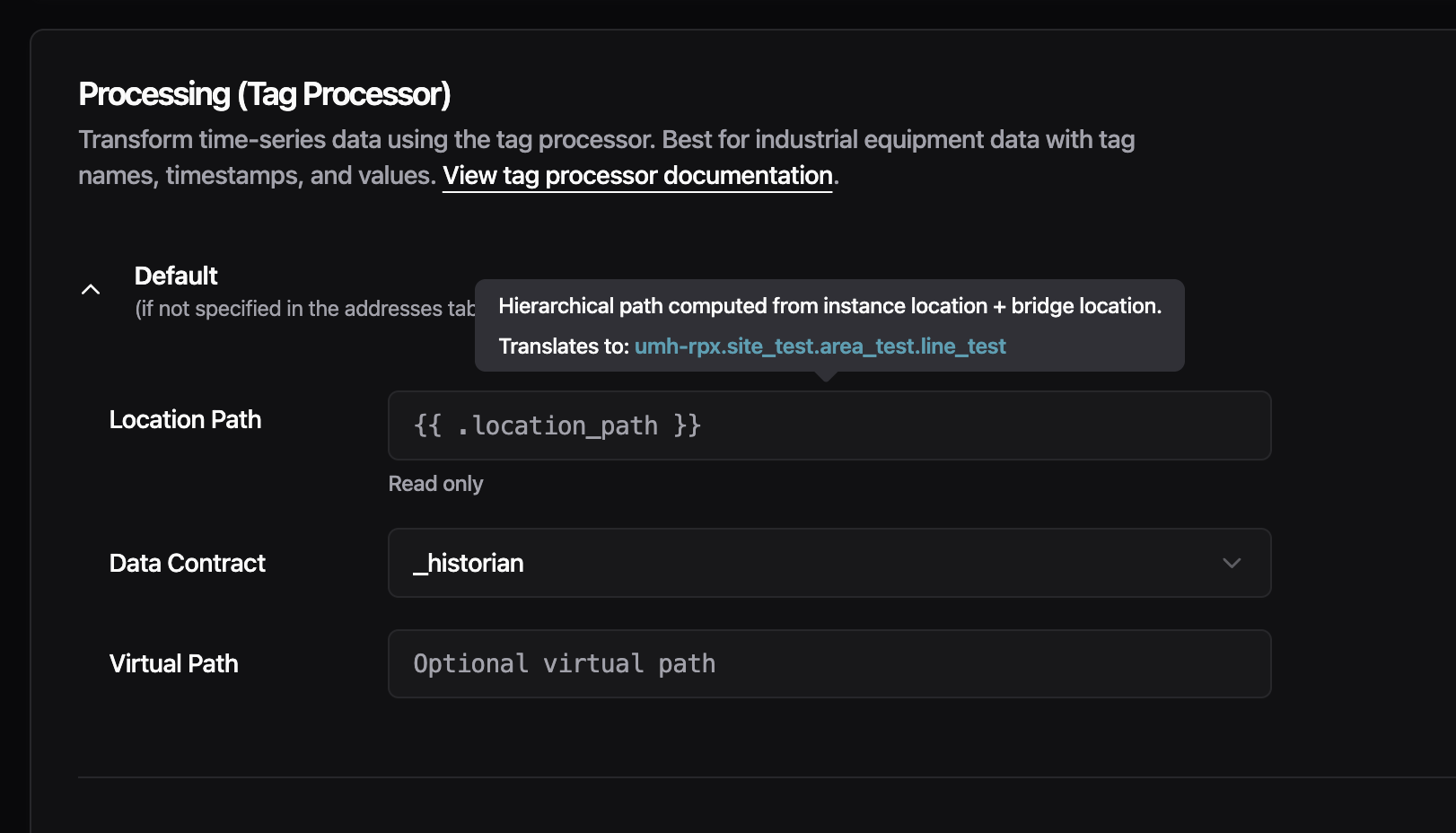
- You can now hover over template variables like
location_pathto see the actual resolved value based on your instance and bridge location (Enhanced Read Flow UI)
- Fixed conditions using strict JavaScript operators (
===,!==) not being recognized by the condition editor (Enhanced Read Flow UI) - Fixed users who registered through Auth0 being unable to perform certificate operations on V2 instances (V2 Certificates)
This release removes the 20-address limit for S7 bridges and adds per-slave register mapping for Modbus gateways.
New Features
- You can now assign specific registers to individual slaves when reading from a Modbus TCP/RTU gateway. Previously, all configured addresses were read from every slave, when different slaves expose different registers. This forced you to create separate connections per slave, which could exhaust the limited TCP connections available on many industrial gateways. Now you can add a
slaveIDfield to each address entry to target a specific slave. Addresses without aslaveIDare still read from all configured slaves, so existing configurations work without changes.
Improvements
- S7 bridges no longer have a 20-address limit. S7 connections now negotiate the actual PDU size with the PLC during connection and automatically split addresses into optimally-sized batches. If you previously had to create multiple connections to the same PLC because of the 20-address limit, you can now configure all addresses in a single connection. The
batchMaxSizeconfiguration field is deprecated and ignored — PDU size is handled automatically. Existing configs withbatchMaxSizecontinue to work with a deprecation warning.
Fixes
- Updated container base image to Alpine 3.23.3, which includes security patches for OpenSSL vulnerabilities.
- Updated Go dependencies with security fixes for the Gin framework (GraphQL API) and other dependencies.
This release fixes container startup failures on fresh deployments and enables advanced variable types for bridge template configurations.
Fixes
- Containers now start reliably on fresh deployments. Previously, containers could fail to start with "permission denied" errors when services tried to write to temporary directories. This only affected fresh installations without Docker cache - upgrades and cached deployments were not impacted. The issue was caused by a known Docker BuildKit limitation that doesn't preserve directory permissions during multi-stage builds.
Improvements
- Bridge templates now support array and object variables. You can now use complex variable types in your protocol converter YAML configurations, not just simple text values. This enables bulk configuration patterns like defining a list of PLC addresses with their tag names, units, and data contracts as a single variable, then iterating over them in your template with
{{ range .AddressMappings }}. This is particularly useful for S7 and OPC UA bridges where you need to map many addresses to tags.
Example usage in YAML:
Then in your template: {{ range .AddressMappings }}{{ .Address }} -> {{ .TagName }}{{ end }}
Opening the Management Console with the same account in multiple browsers previously caused unpredictable behavior—messages would get routed to the wrong browser, causing buttons to stop responding and data to silently get lost. Now, logging in from a new browser automatically signs out your previous session. You'll see a clear message explaining what happened, so you always know which browser is active.
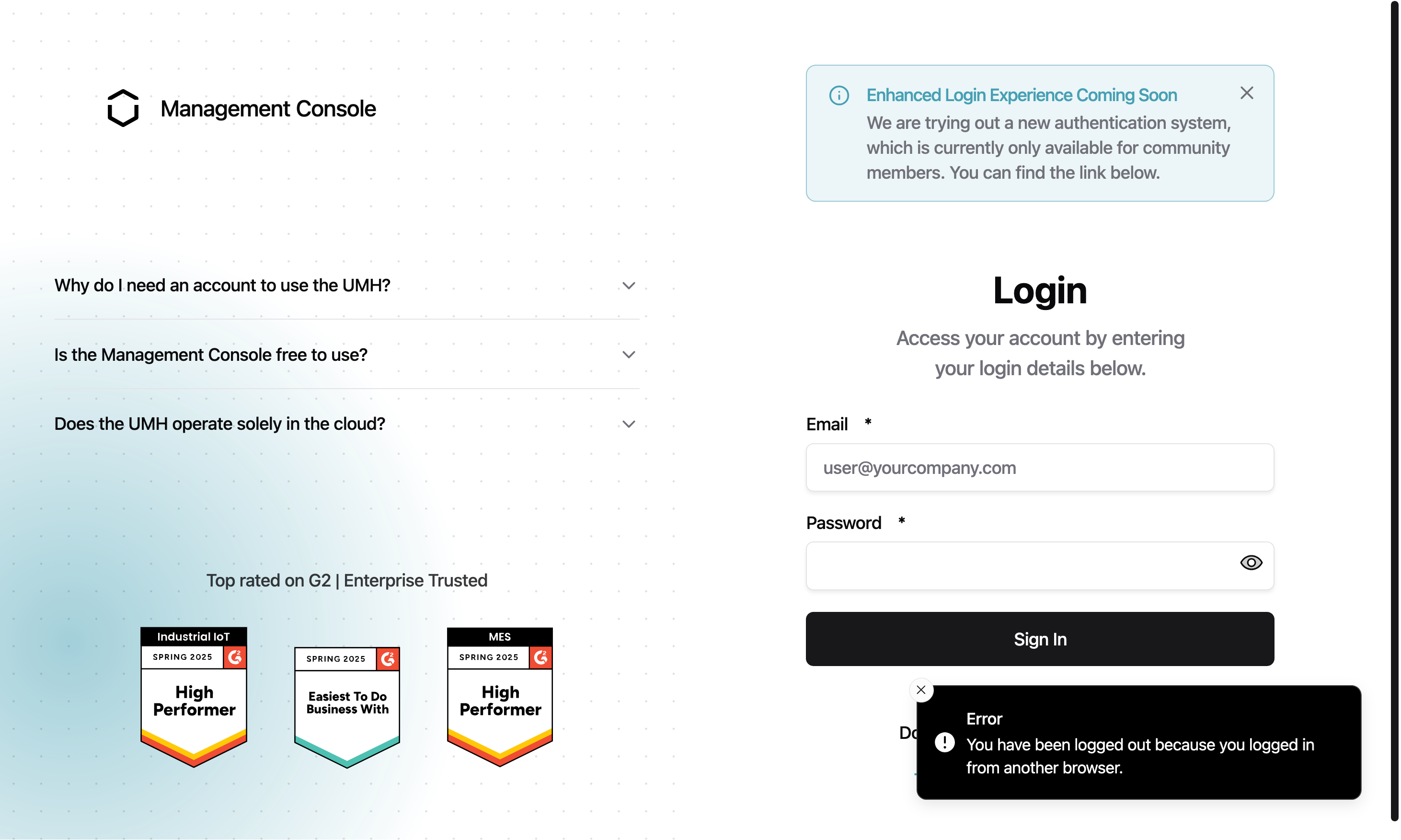
New Features
- Instance selectors now show offline instances grayed out with an "(offline)" label. Online instances appear at the top of the list, and offline instances cannot be selected. This prevents confusing behavior that occurred when trying to configure unavailable instances.
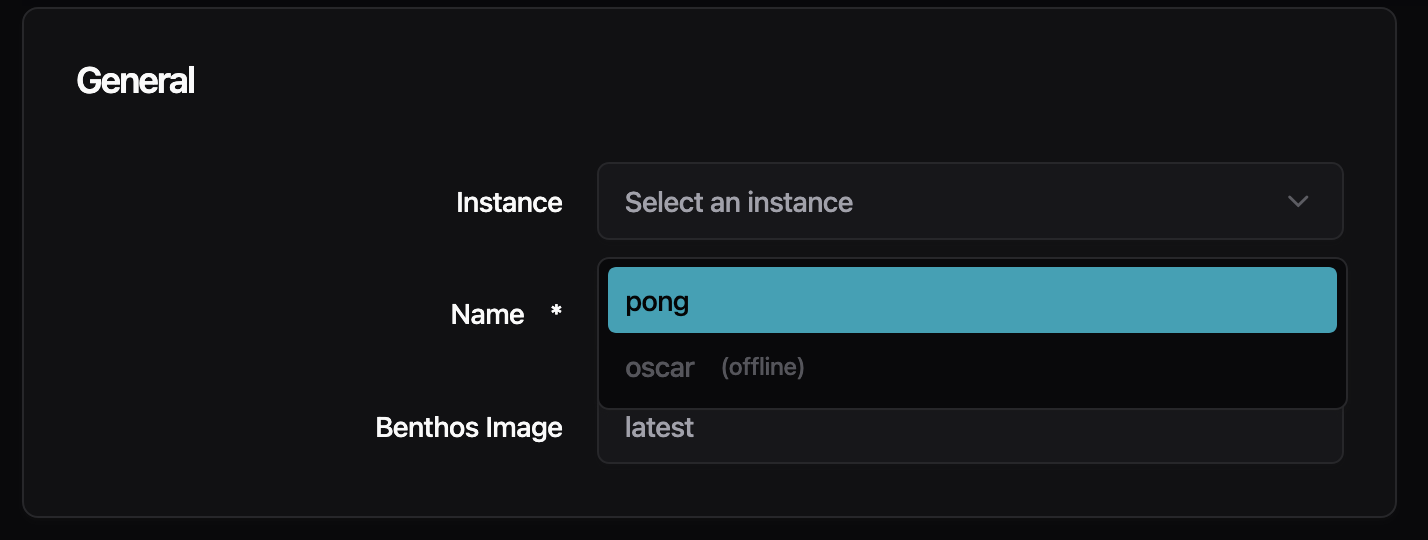
- The Management Console now detects which benthos-umh version your instance is running and loads the matching configuration forms. Previously, forms were hardcoded to one version, which could show incorrect fields if your instance version differed. If your version doesn't have an exact match, you'll see a banner explaining that some options may only be available in the YAML editor.
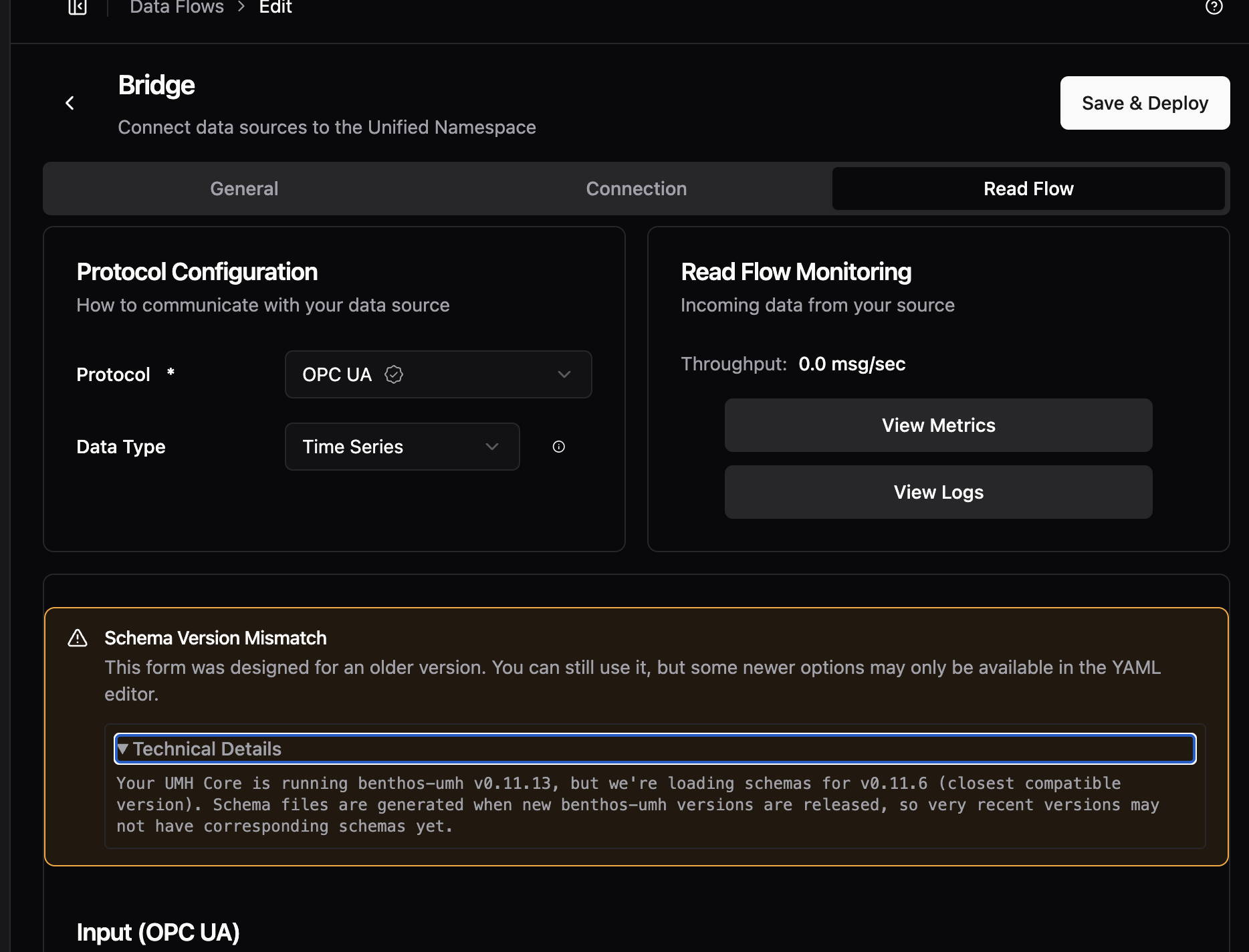
- When creating an account or accepting an invite, you now see a real-time checklist showing password requirements (12+ characters, uppercase letter, digit, and symbol). The checklist updates as you type, showing green checkmarks for requirements you've met. This replaces the previous approach of only showing errors after you tried to submit.
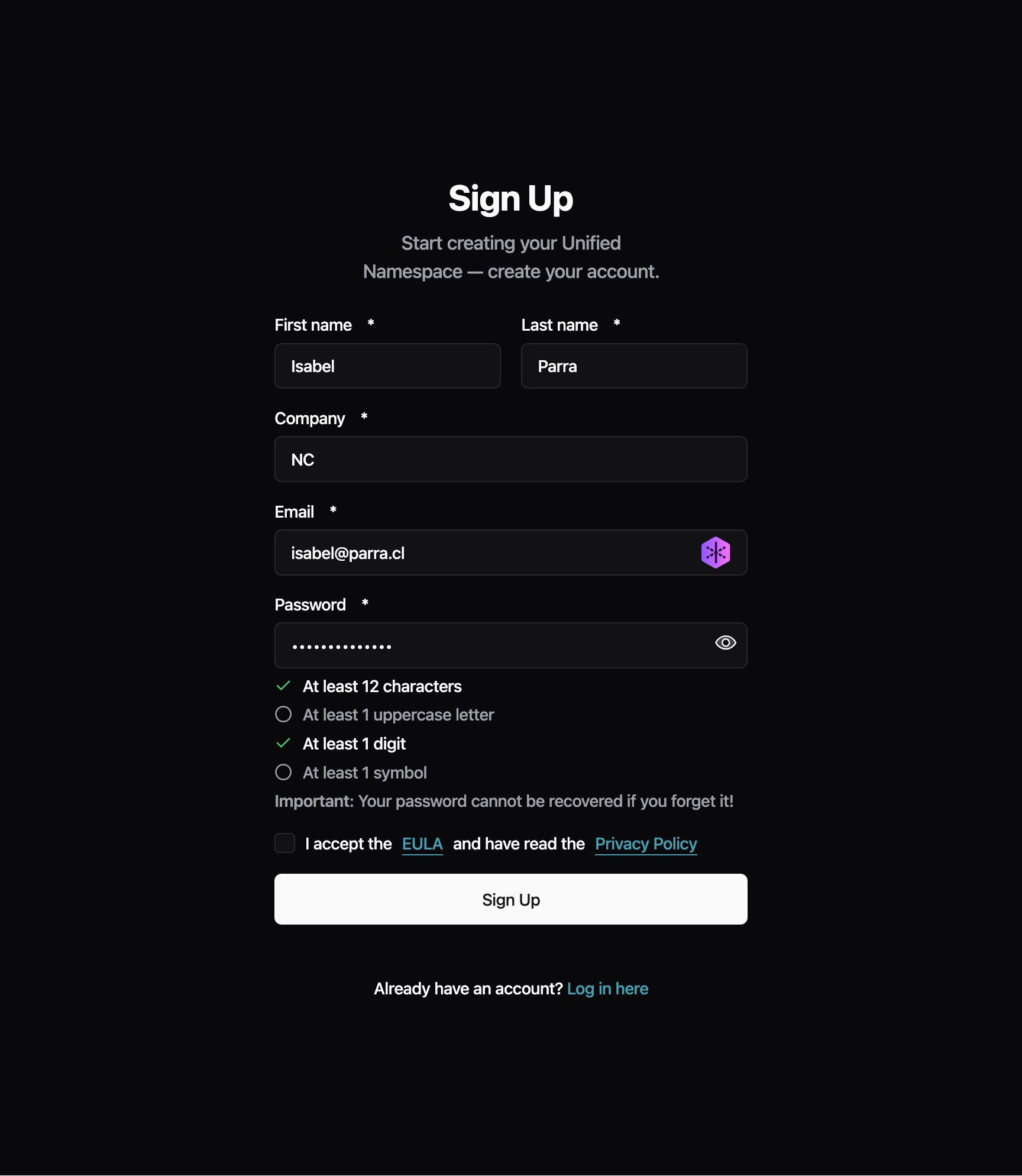
Improvements
- Privacy Policy links now point to the correct URL on signup, invite, and onboarding pages
- The page heading now correctly says "Data Flows" (plural) to match the sidebar menu
- The checkmark in dropdown menus is back on the left side where it was before, with improved contrast when highlighted
Fixes
- Fixed the X button in search/filter fields not being vertically centered
- Fixed sticky header in configuration pages that stopped working on pages with long content
- Fixed an issue where users were incorrectly signed out on certain API errors—now only authentication failures trigger sign-out
- Fixed profile pictures disappearing after page refresh and appearing squished when the sidebar is collapsed
We've made infrastructure improvements to help instances stay connected to the Management Console more reliably.
Some users have experienced instances appearing "offline" in the Management Console even though the instances were running correctly and processing data. This was caused by network interruptions that the legacy communicator couldn't recover from automatically.
What We've Done
- Backend servers are now more stable, reducing connection interruptions.
Preview: Try the New FSMv2 Communicator
If you've been experiencing connection issues (instances showing offline when they're actually running), you can try our completely rewritten communicator which has better recovery from network interruptions.
To enable, add to your config.yaml:
Or via environment variable:
To verify it's working, exec into your container and check the logs:
You should see log entries with fsmv2 and states like Syncing or TryingToAuthenticate.
Note: To disable later, you must explicitly set useFSMv2Transport: false in config.yaml.
We'd appreciate feedback on how this works for you. Once validated, FSMv2 will become the default communicator.
This release fixes issues affecting OPC UA data collection and JavaScript-based data processing.
Fixes
- OPC UA connections now properly rediscover nodes after reconnecting. Previously, if an OPC UA connection dropped and reconnected, the system would report zero detected nodes even though the server was available. Connections now correctly rediscover all nodes after network interruptions.
- JavaScript processors now correctly handle numbers from JSON data. When using the Tag Processor or Node-RED JS processor with structured JSON data, numeric values were incorrectly treated as objects instead of numbers. Calculations and comparisons involving numbers now work as expected.
You can now switch between dark, light, and system themes using the new theme toggle in the sidebar. The editor and all UI components automatically follow your selected theme, and your preference is remembered between sessions.

New Features
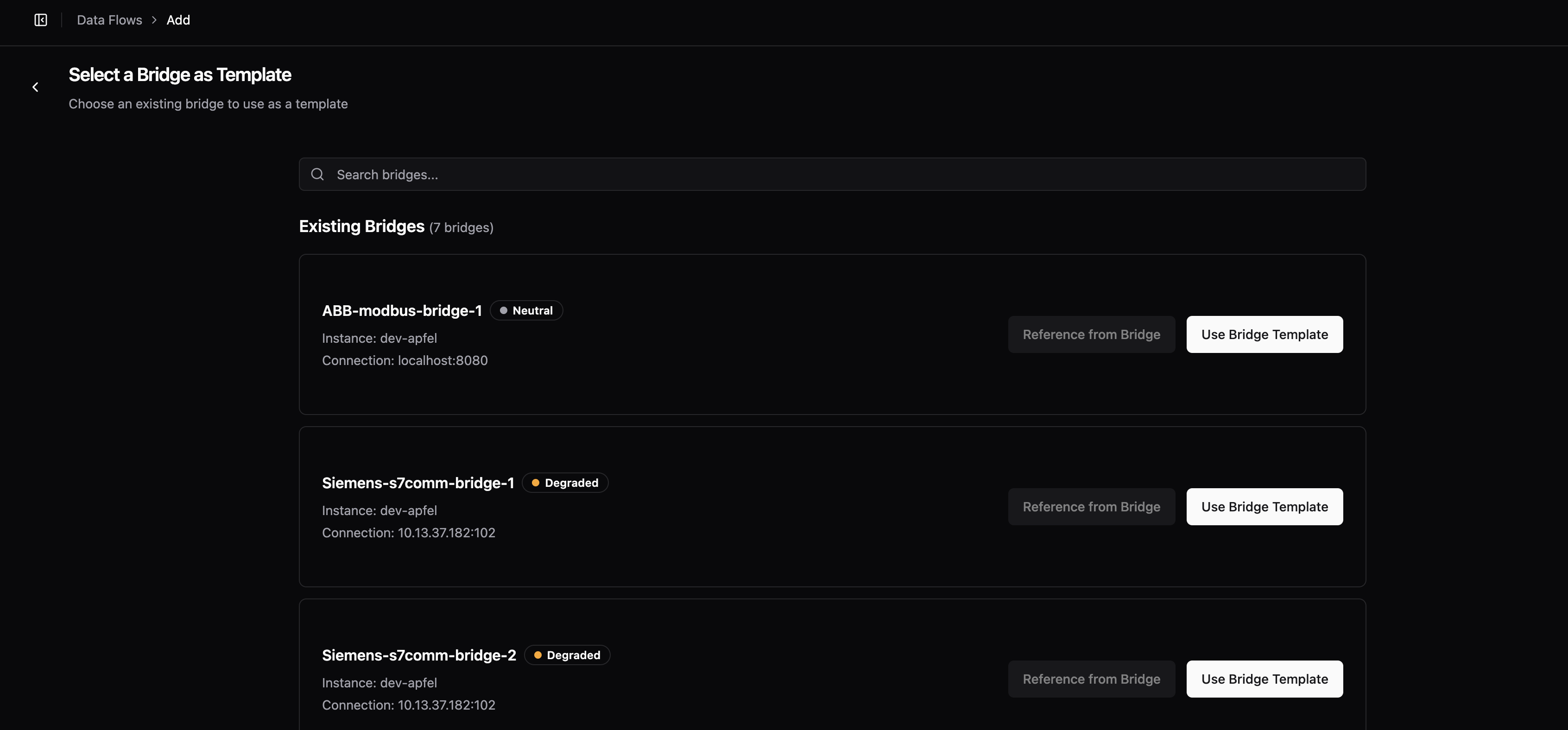
- When creating a new bridge, you can now copy the configuration from an existing bridge. The setup wizard shows all your bridges with their connection status, instance, and health indicators, making it easy to find the right one to copy.
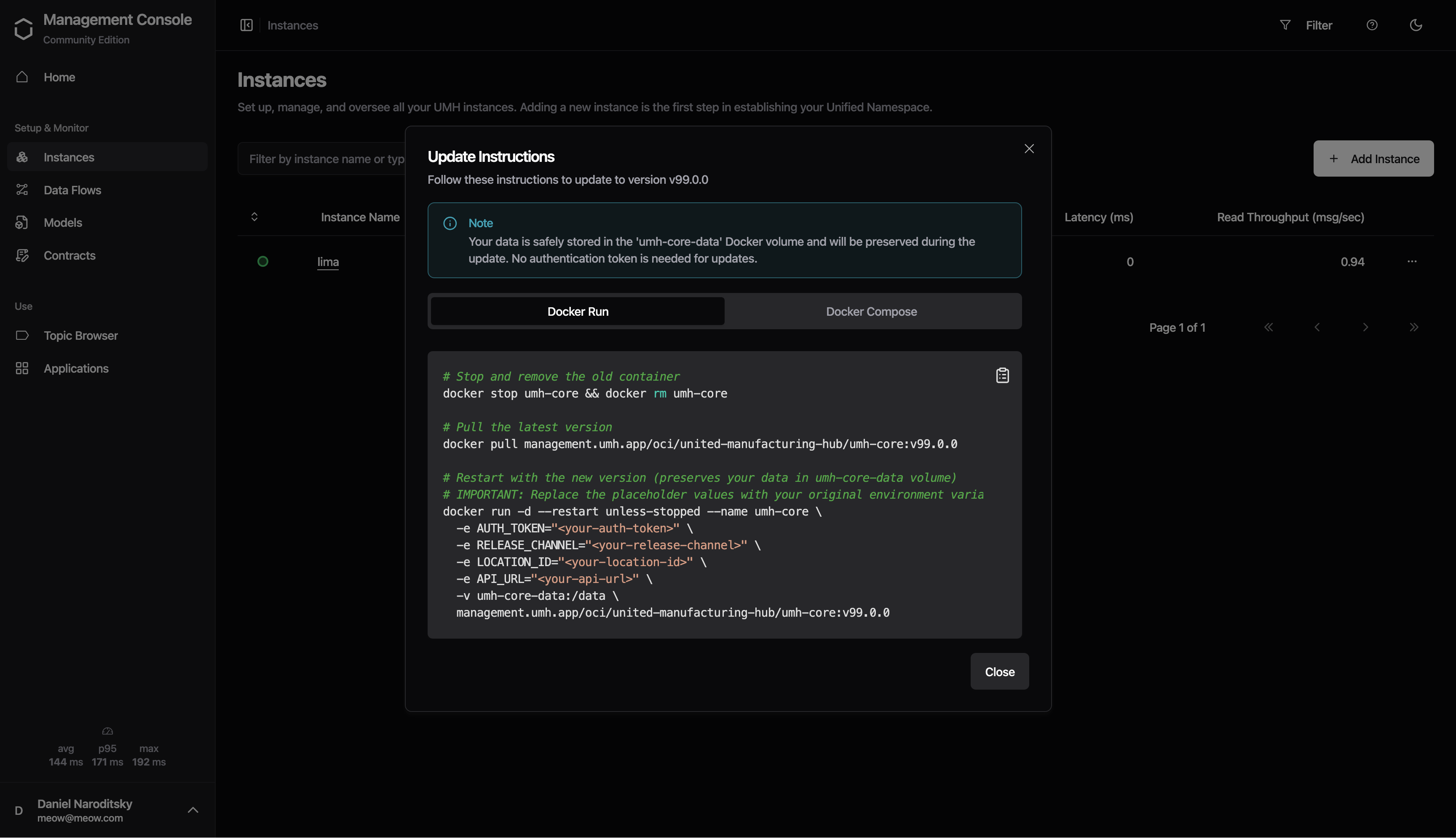
- Instances now show an "Update" badge when a newer version is available. Click the badge to see update instructions for both Docker and Docker Compose deployments.
Improvements
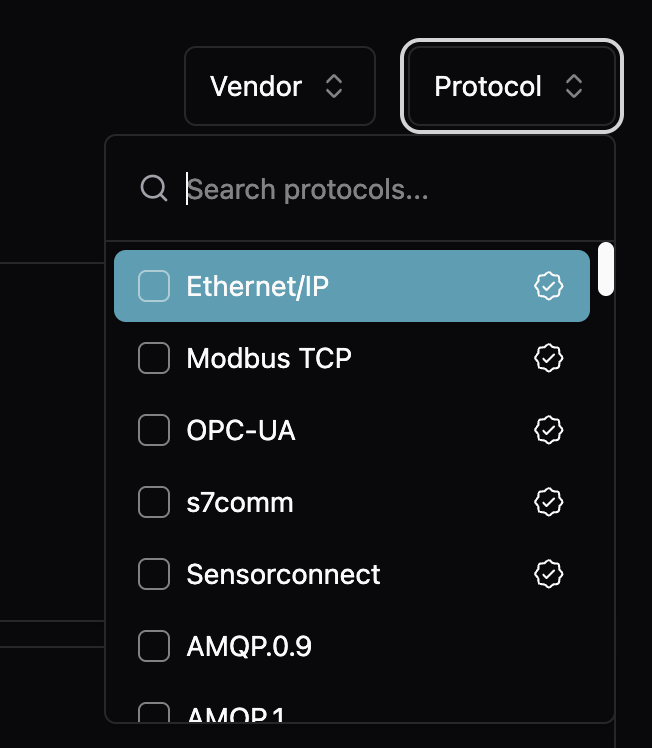
- Protocol templates now show a "Verified" badge for curated protocols that have been tested and validated. Verified protocols are sorted to the top of the list, and all protocols include better descriptions to help you choose the right one.
- Green and orange status colors are now more readable in light mode
- Tooltips remain dark with high contrast in both light and dark modes
- Improved dialog scrolling for update instructions on smaller screens
You can now deploy UMH using Docker Compose as an alternative to single-container Docker or Kubernetes. This deployment option is perfect for production setups that need persistent storage and visualization without the complexity of Kubernetes.
The Docker Compose stack includes umh-core, TimescaleDB for time-series storage, PgBouncer for connection pooling, and Grafana for visualization. An optional Nginx configuration is provided for SSL/TLS termination.
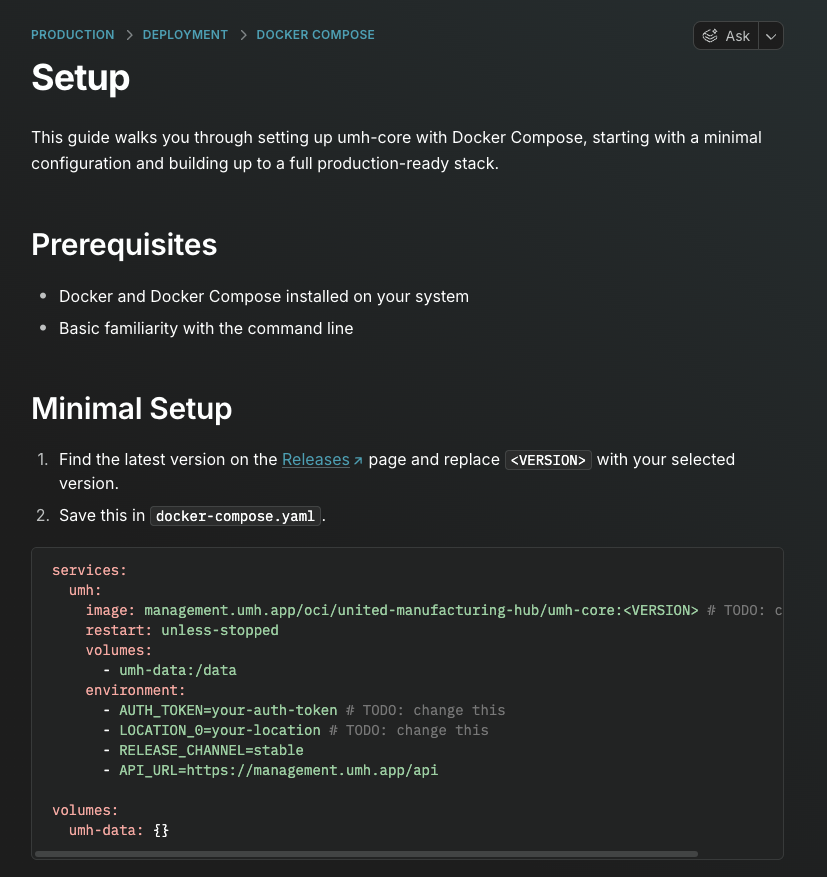
View the Docker Compose documentation
Improvements
- Redpanda now runs with the
--overprovisionedflag enabled by default, improving performance in containerized environments where CPU resources are shared
Fixes
- Fixed confusing documentation about Docker volume permissions when upgrading from versions before v0.44.0. Previously, the guide showed a
chowncommand that didn't match the volume path in thedocker runcommand. The guide now correctly explains how to fix permissions for both named volumes (using a temporary container) and bind mounts (usingchowndirectly).
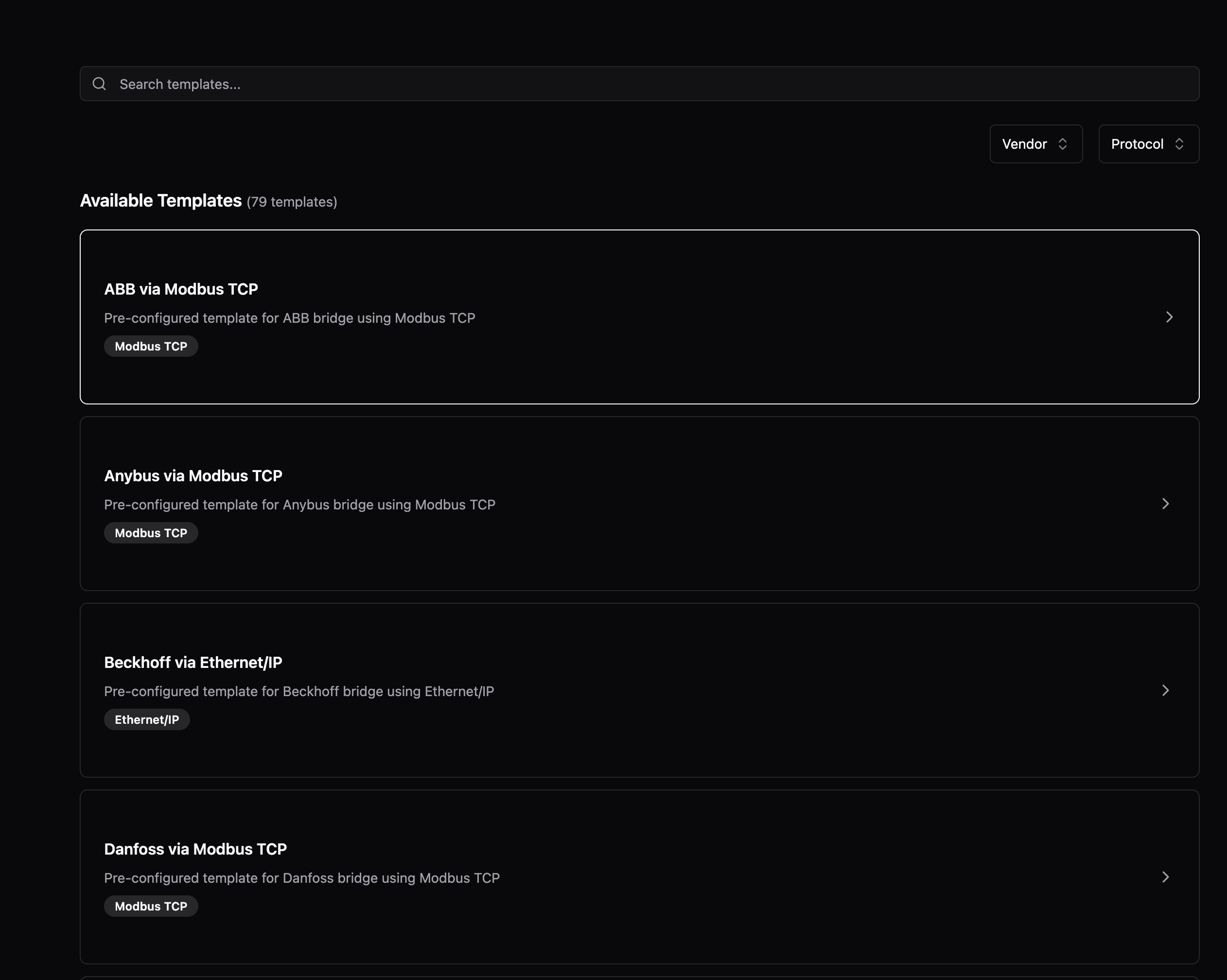
Creating new Data Flows is now guided and faster. When you select a protocol like OPC UA, S7, or Modbus, the form is automatically prefilled with common settings—you only need to enter your device's IP address and port. The new vendor/protocol selection cards make it easy to find your device type.
Improvements
- Protocol forms now display helpful examples below field descriptions, showing valid values at a glance (e.g., "Examples: ns=2;s=MyNode, ns=3;i=1001")
- The metadata panel in Topic Browser can now be resized by dragging the divider
- When creating bridges for Modbus or S7, the port field is now prefilled with the standard port (502 for Modbus, 102 for S7)
- Data Flow editors now only prompt "Unsaved changes" when you've made actual changes—formatting-only YAML changes no longer trigger false warnings
- Loading spinners now behave consistently across all pages, including when you only have umh-core instances
- The sidebar correctly remembers whether you left it open or closed between sessions
Fixes
- Protocol forms properly wait for prefilled data before rendering, preventing a flash of empty forms
- Fixed loading placeholder colors that changed after a recent update, restoring the original subtle appearance
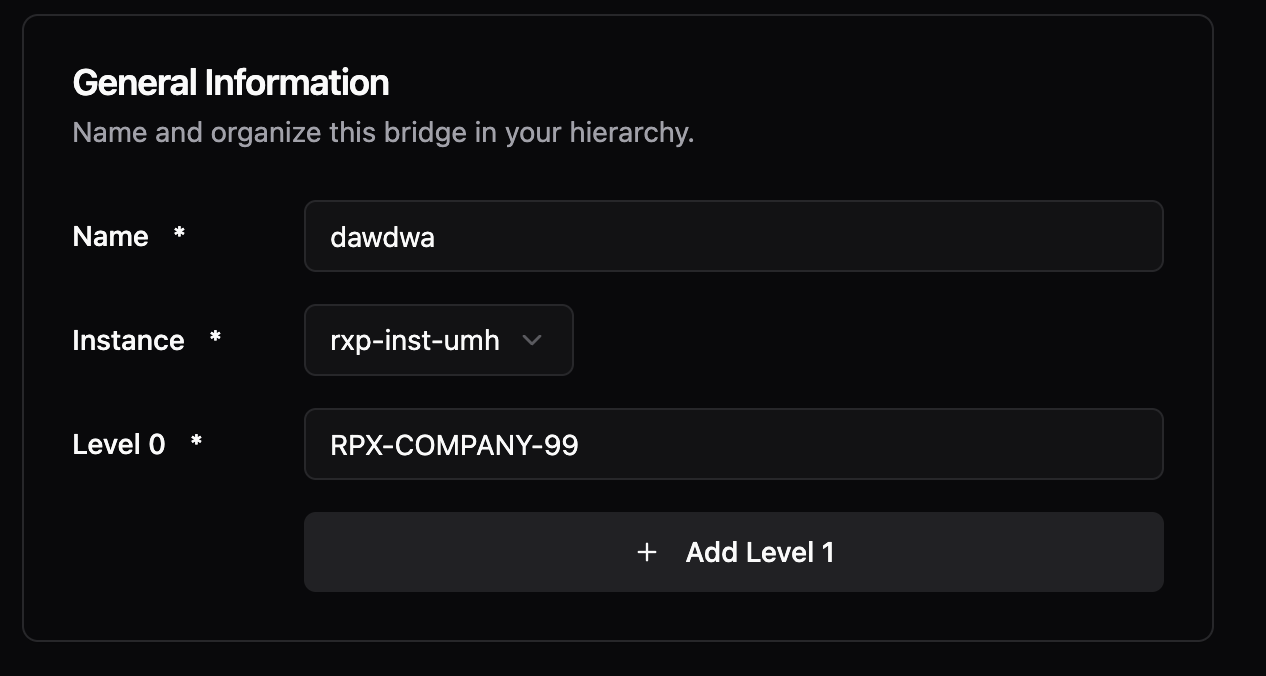
We've upgraded our UI framework to deliver a more polished experience. Input fields are now more distinguishable with cleaner styling and proper backgrounds. Buttons have improved hover states for better feedback. Dark mode colors are more vibrant and consistent. Alert and error messages have a refined appearance with improved spacing and alignment throughout.
Code Editor Search
You can now search within YAML configurations using Ctrl+F (or Cmd+F on Mac) in the code editor. The Monaco editor search widget helps you quickly find and navigate to specific settings in large configurations.
Profile Picture Support
Your profile picture from Auth0 now appears in the sidebar and user menu. If no picture is available, you'll see your first name initial instead of email initial for a more personal touch.
Improvements
- App filters are now properly cleared when you sign out, so the next user sees a clean state
Fixes
- Fixed incorrect label in Topic Browser that showed "Physical Path" instead of "Location Path"
Action Required Before Upgrade
This version runs as a non-root user (UID 1000) instead of root for better security. Your existing data directory was created by root, so you must change its ownership before starting the new container:
If you skip this step, the container will fail to start and show an error message with the exact command to fix it.
For new installations, we recommend using Docker named volumes, which handle permissions automatically:
New Features
- umh-core now runs all processes as a regular user instead of root. This limits potential damage if a vulnerability is ever exploited—even if an attacker gets into the container, they can't gain root-level access.
- New documentation at docs/production/security/ explains our security approach including threat model, shared responsibility, and compliance mapping for OWASP, NIST, and IEC 62443 standards.
Improvements
- You can now use uppercase letters in data flow names, giving you more freedom to match your existing naming conventions
- Delete buttons (like "Remove Level" in location forms) now use a warning color with appropriate hover states, making destructive actions more visually distinct
- The Docker install command for local umh-core now uses Docker named volumes instead of bind mounts, working consistently across Docker Desktop (Mac/Windows), native Linux, and Podman
Fixes
- Validation error messages in protocol configuration forms now display below input fields instead of beside them on narrow screens
- Fixed a visual glitch where the sidebar would briefly "pop in" when loading pages in Chrome
- Fixed inconsistent padding and hover states on icon buttons in side panels
- Fixed the chevron/arrow icon not displaying correctly when adding a stream processor
- Fixed the height and hover area of the sidebar collapse/expand toggle button
You can now access logs and metrics directly from any data flow component page. Click the "Logs" or "Metrics" button to open a side panel without leaving your current context. The panel appears on-demand instead of cluttering the interface with permanent tabs. Works across bridges, stream processors, and all data flow types.
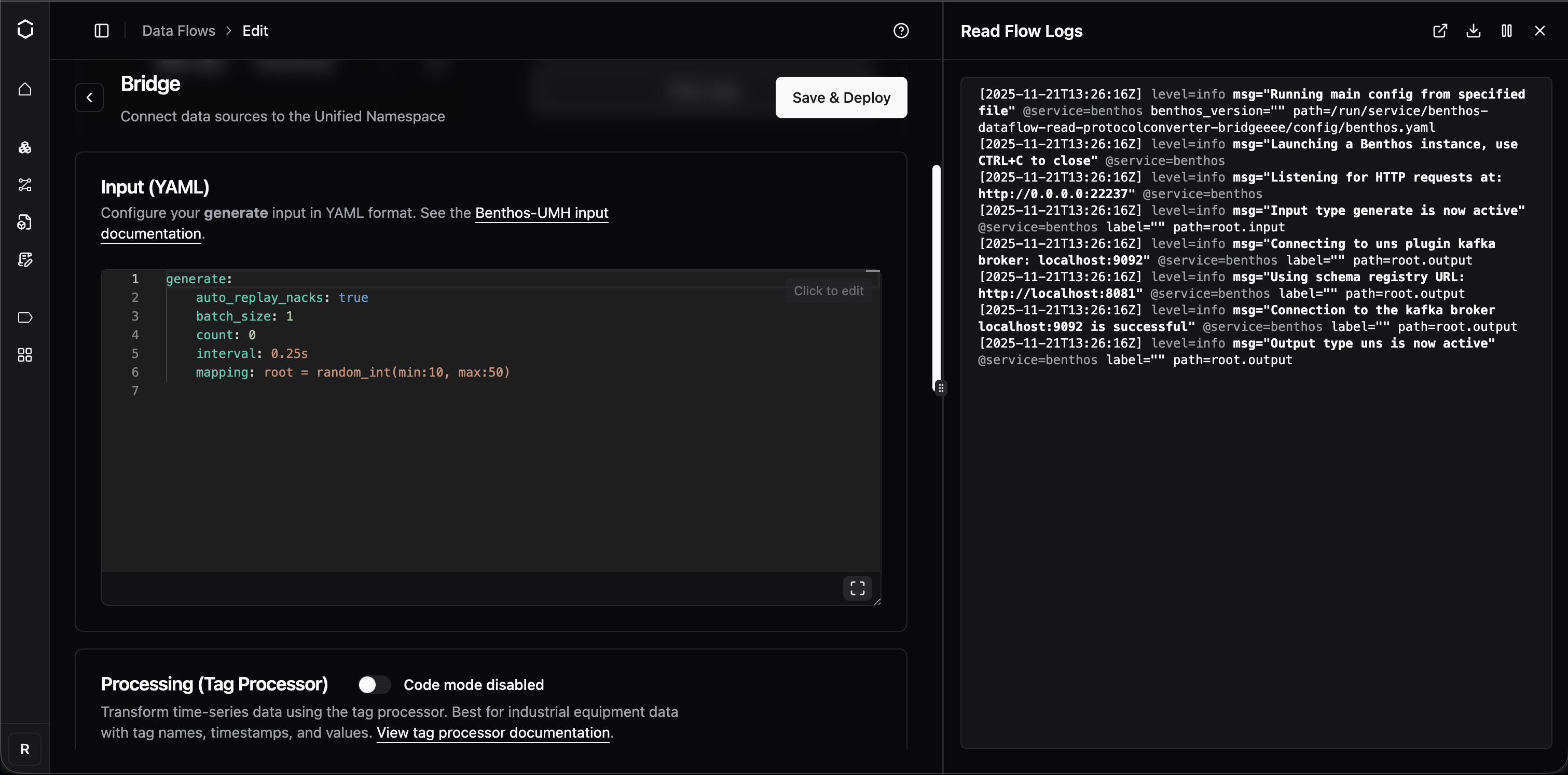
Cleaner JavaScript Debugging Output
Bridge configuration debugging is now significantly easier. Previously, console output from JavaScript processors contained excessive escaped characters, making it difficult to read. The output now uses a Node.js-style representation that's more readable.
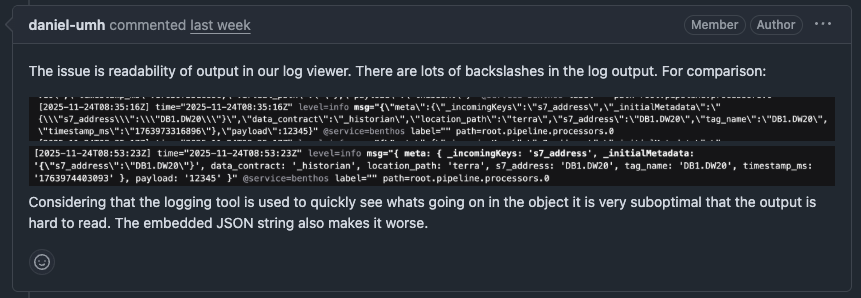
OPC UA Subscriptions Without Tag Hierarchy
Fixed an issue where subscribing directly to OPC UA child nodes (without a parent folder hierarchy) would cause validation errors or malformed topics with double dots. Topics are now properly constructed without the optional virtual path segment.
Improvements
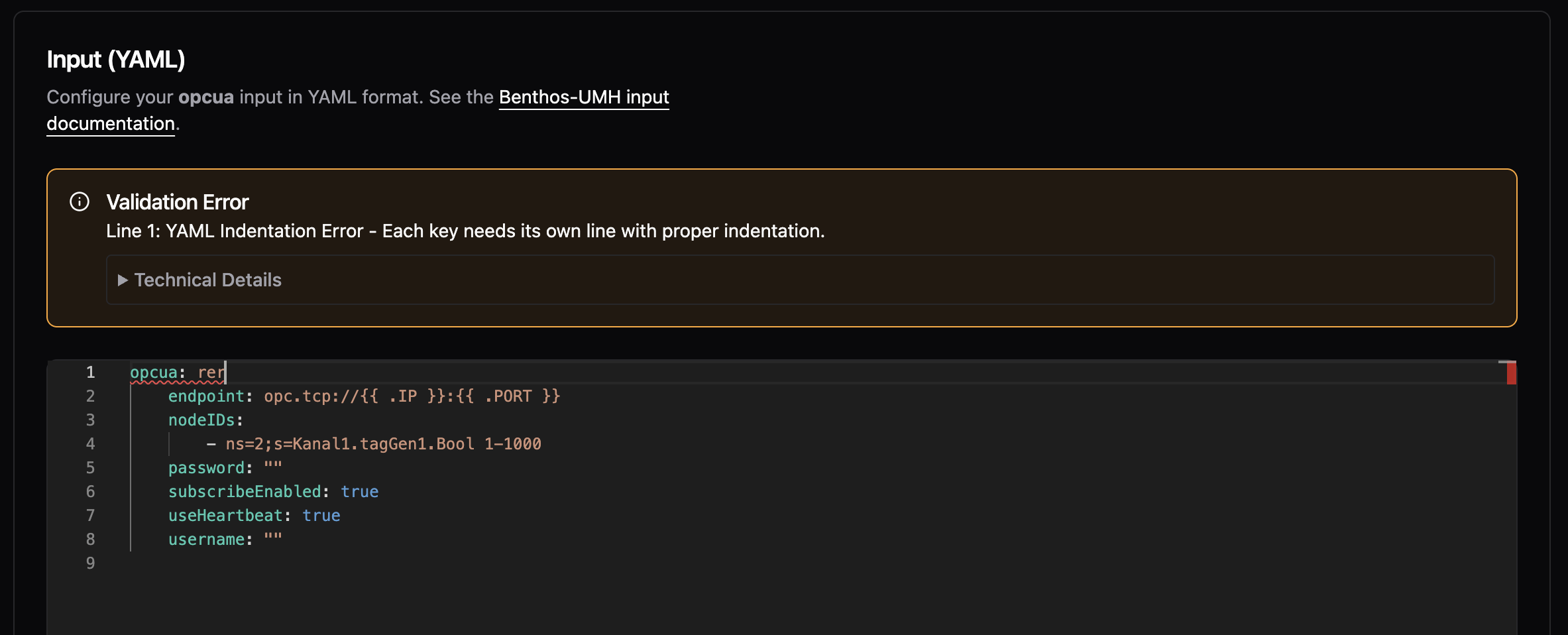
- Status alerts and warnings now have a more consistent look with clearer explanations and collapsible technical details
- Buttons across the platform now follow a consistent design pattern with proper visual hierarchy
Fixes
- Delete dialogs now properly close when clicking the X button
You can now add debug_level: true to your bridge or data flow configurations to enable detailed debug logging when troubleshooting connection issues. This is especially helpful for diagnosing OPC UA problems, as it automatically enables verbose protocol-level debugging.
Improvements
- You can now use uppercase letters (A-Z) in bridge and component names, in addition to lowercase letters, numbers, dashes, and underscores.
Fixes
- Fixed a critical security vulnerability where malicious service names could potentially be used to access sensitive files on the system. Component names are now strictly validated to prevent path traversal attacks.
- Fixed production build configuration to properly disable CGO, improving binary performance and security.
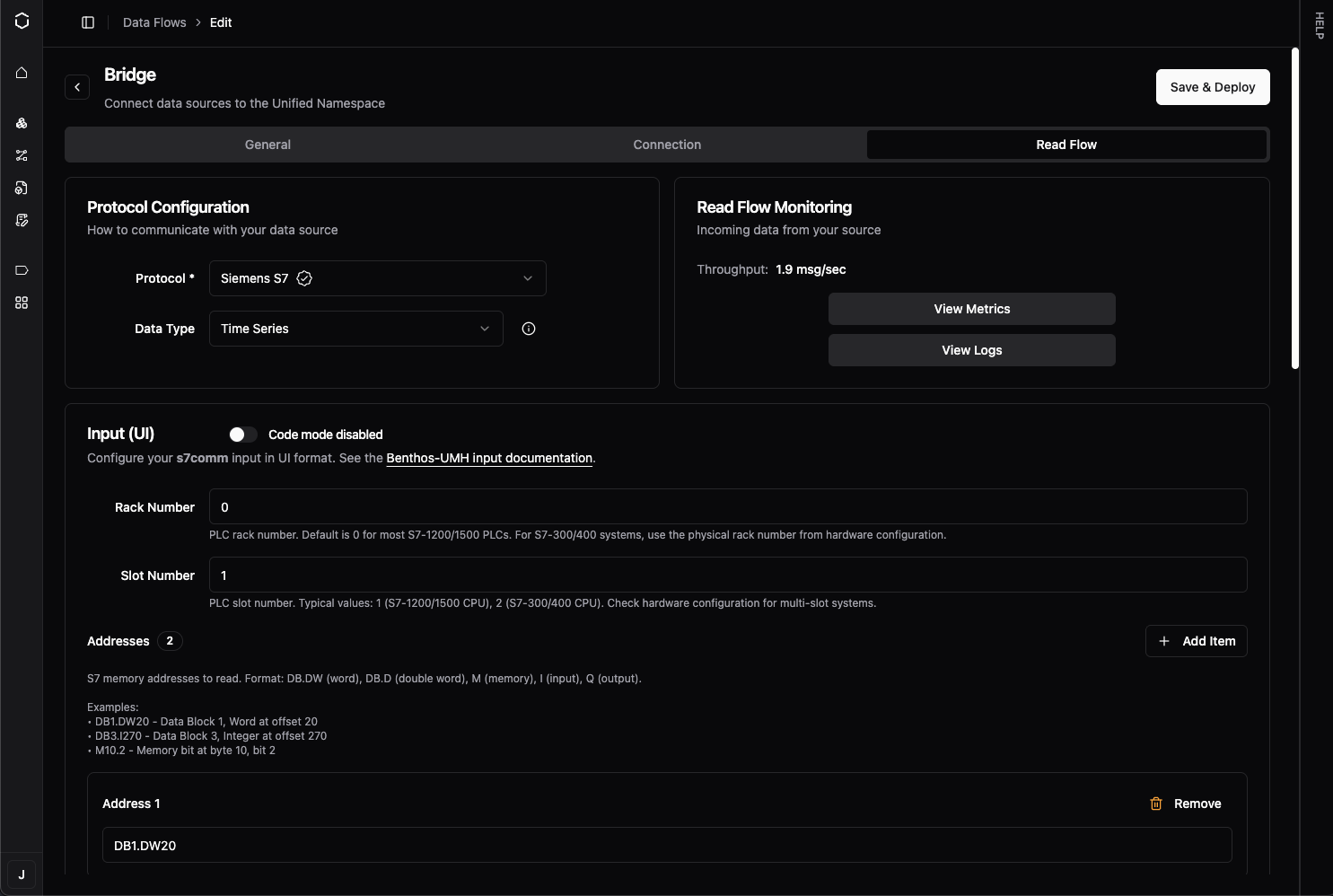
When enabled via the Dynamic Protocol Forms feature flag, you can now configure S7, Modbus, and OPC UA bridges using a form-based UI instead of writing YAML. You'll see an "Input (UI)" / "Input (YAML)" toggle in the bridge configuration page. Click on any field to edit it directly, add addresses with the "+ Add" button, and the system automatically generates valid YAML. This is a preview feature—enable it only for testing.
SparkplugB Template Documentation
The default SparkplugB template now includes comprehensive documentation for all available metadata fields. You'll see inline comments explaining pre-sanitized fields that let you build custom hierarchical topic structures without writing manual sanitization functions. The template also now processes both DDATA and NDATA messages.
Improvements
- Your sidebar collapse/expand preference is now remembered across sessions
- The back button now works more like your browser's back button, making navigation feel more natural
Fixes
- Form validation errors no longer appear immediately when opening forms—they only show after you interact with a field
- Fixed an issue where flat NDATA metrics could cause filter problems
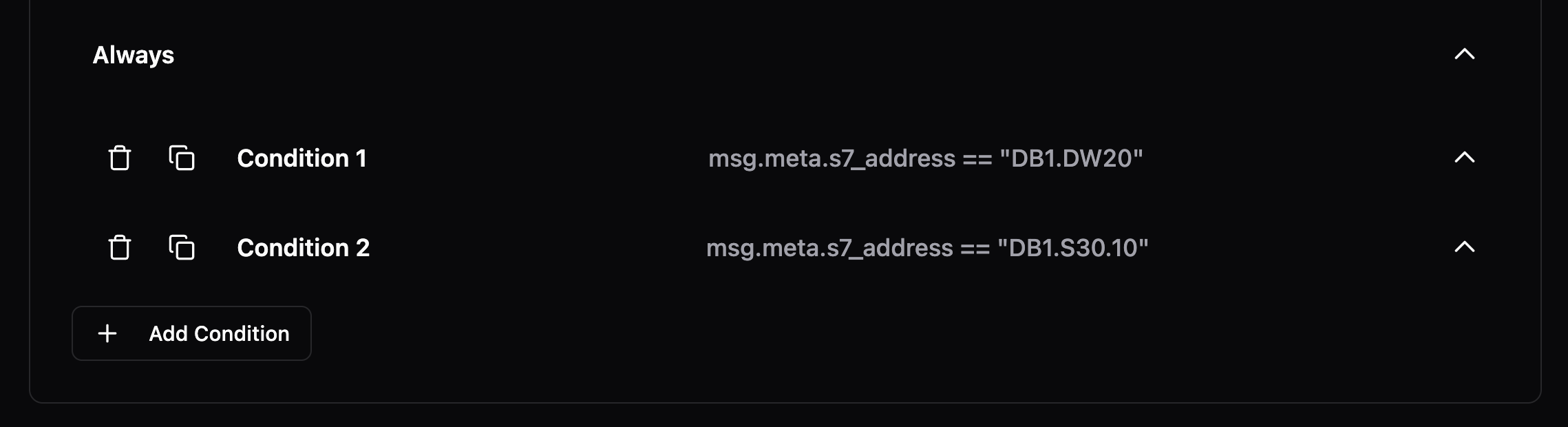
You can now duplicate conditions with a single click using the new duplicate button in the condition header. Previously, you had to manually copy and paste condition content. The delete button now includes a confirmation dialog to prevent accidental removals, and both buttons have helpful tooltips.
Improvements
- The code/UI toggle button in stream processors now matches the design of toggle components used elsewhere
- Fixed the tag processor editor incorrectly flagging console and other standard JavaScript APIs as errors
Fixes
- Instance names now appear immediately after you change them, with automatic cache refresh
Browse operations now use a global worker pool instead of creating separate pools for each starting node, preventing worker exhaustion. Previously, browsing 300 nodes with MaxWorkers=20 created 6,000 concurrent workers; now uses 20 workers total.
Improvements
- Getting started guide now uses "umh-core-data" folder name consistently across all documentation
- Automatic detection and optimization for Ignition, Kepware, Siemens S7-1200/S7-1500, and Prosys OPC UA servers with vendor-specific tuning
- Automatic detection when Siemens S7-1200 PLCs don't support DataChangeFilter (Micro Embedded Device Profile), preventing subscription errors
Fixes
- Fixed StatusBadFilterNotAllowed errors when subscribing to S7-1200 PLCs with data filters
- Resolved potential deadlocks during high-concurrency browse operations
Your production system no longer depends on Management Console connectivity to start. Previously, when Management Console was unreachable, the entire data infrastructure would fail to start. Now the system starts immediately and retries the connection in the background.
Faster Deployments with Large Configurations
Deployments complete 80-90% faster for customers with large configurations (e.g., 2,000+ OPC UA nodes). The system now logs configuration differences only at debug level instead of logging full structures on every change.
Fixes
- Fixed issue where location level fields (Level 2-5) showed placeholder text like "Your level 2 name" instead of actual saved values in Bridge edit views.
- When Management Console is unreachable, error logging is now limited to 1 error per second instead of 100 errors per second.
Fixed critical deadlock when browsing OPC UA servers with more than 100,000 nodes. Previously, browse operations would hang indefinitely and require container restarts. Now completes in under 1 second for 110k nodes.
OPC UA Performance Boost
Browse operations now complete up to 173x faster with 75-90% less memory usage. Connection times for large OPC UA servers are significantly faster, and CPU usage during browse is dramatically reduced.
Reduced Network Traffic
OPC UA bridges now automatically suppress duplicate value notifications (deadband filtering), reducing unnecessary network traffic and processing overhead. Enabled by default for all numeric node types.
Better JavaScript Debugging
Fixed console.log() and other console methods in JavaScript processors to work like browser environments. You can now properly debug JavaScript transformations by logging complex objects and seeing their actual structure.
Fixes
- Fixed timing mismatch that caused frequent EOF errors and connection failures in high-latency environments, particularly affecting sites in Japan and other regions with network latency above 200ms.
Fixed certificate generation issues that prevented connections to OPC UA servers with strict security requirements (like Ignition 8.3 using Basic256Sha256 security policy). Certificates now include all required security attributes. No configuration changes needed.
Fixes
- Fixed array handling to preserve whether values are numbers or text when passing data between systems. Previously, arrays like [1,2,3] could be confused with ["1","2","3"], causing data processing errors.
- Fixed crashes that could occur when restarting services with active Sparkplug B connections.
Resource limit blocking is now enabled by default to protect your system from overload. When your system is at capacity (high CPU/memory/disk usage), new protocol converter deployments will be blocked automatically with clear explanations.
You can disable this protection by setting agent.enableResourceLimitBlocking: false in your configuration, but we recommend keeping it enabled.
Improvements
- When deployment is blocked due to resource constraints, you'll now see the actual reason (like "CPU utilization critical - Reduce system load or disable resource limits") instead of a generic timeout message.
Fixes
- Your custom Redpanda resource limits (CPU cores and memory settings) now persist correctly across restarts. Previously, MaxCores and MemoryPerCoreInBytes were being overwritten to defaults.
- Protocol converters blocked by resource limits now show their configured connection details (IP address, port, flows) in the UI instead of "Connection Unavailable".
You can now use underscores in bridge and component names. Previously only lowercase letters, numbers, and hyphens were allowed. This makes it easier to match your existing naming conventions.
OPC UA Quality Tag Support
OPC UA data connections now capture quality/status codes from OPC UA servers, appearing in metadata as opcua_attr_statuscode. This helps verify data reliability from industrial equipment, especially useful for Ignition-based OPC UA servers.
Better Error Visibility
Stream processors now show clear warning messages when they receive incompatible data formats (like JSON objects instead of time-series data). Previously, data would silently disappear without explanation.
Better Health Status Display
Idle protocol converter states now correctly show as green/active instead of appearing unhealthy. This prevents false alarms when your data sources are legitimately inactive.
Fixes
- Container deployments no longer fail if Docker Hub is temporarily unavailable—the system now serves cached container images during outages
- The bridges interface now uses clearer terminology: "All" tab removed for simplicity, "Throughput" renamed to "Read Throughput", "Add Bridge" renamed to "Add Read Flow"
- Stream processors now generate smarter variable names for topics with the same name in different locations (e.g., area1Temperature instead of temperature_1)
- Form validation errors now clear immediately when you correct the input
- Company name now appears immediately after account registration
- Fixed critical issue where NULL-padded strings from S7 PLCs weren't being properly handled by the downsampler
- Fixed confusing IP address input instructions that made new users think they should type literal "{{ .IP }}" into form fields
- Components in idle states now correctly show as "active" health status instead of appearing degraded
Fixed login failures for enterprise customers using SAML-based single sign-on. Login now works regardless of email capitalization or verification status from SAML providers.
Multi-Organization Account Login
Fixed a bug that prevented users from accessing multiple organizations with the same email address. Messages are now routed correctly for all users regardless of how many organizations they access.
Instance Communication Stability
Fixed "All customer instances unreachable" errors for customers with many instances. The system now safely handles high-volume logging by limiting response sizes to 10MB and 200 messages per request.
Email Consistency in Onboarding
Email addresses are now normalized to lowercase throughout the entire onboarding process, preventing case-related mismatches.
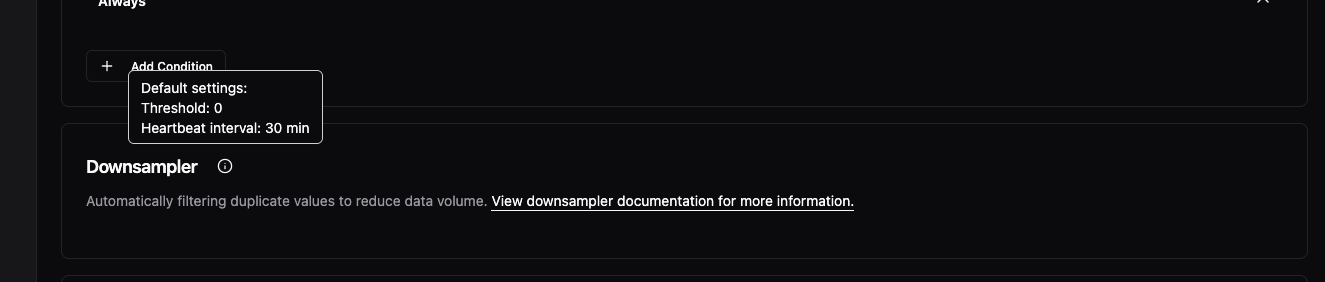
The downsampler (report-by-exception) feature that's been automatically compressing your bridge data is now visible in the UI. You'll see a new "Advanced Processing" card in bridge configurations showing that compression is enabled by default. This feature reduces storage and network usage by filtering duplicate values—now you can see it's there and access documentation about how it works.
Faster Component Navigation
You can now click directly on component names to edit them, instead of using the three-dot menu every time. This works across Instances, Data Flows, and Models—just click the name in the table and you'll navigate straight to the configuration page. The three-dot menu is still available for additional actions.

Fixes
- Fixed misaligned "Remove Level" buttons in location configuration forms with consistent heights and proper spacing

Bridge Location Handling
- Fixed incorrect behavior when selecting or validating bridge locations
- Improved internal logic for bridge location validation to prevent mis-assigned or missing locations
User Management
- Added location validation when adding new users with direct feedback if the selected location doesn't meet requirements
UI Enhancements
- Aligned copy/paste buttons with better positioning for consistency across views
- Unified button styles throughout the interface for a cleaner look
Fixes
- Resolved minor visual inconsistencies in bridge configuration layout
- Cleaned up redundant validation messages
Topics now visually highlight when they receive new data, similar to MQTT Explorer. You'll see a brief highlight animation on the entire path whenever values update, making it easy to identify active data flows at a glance. Perfect for monitoring which topics are actively publishing without manually checking each one.
